Insights
Table Of Content
Key Takeaways
Introduction
What Is a Mobile App Development Platform?
What Types of Mobile App Development Platforms Exist, and Which Fits Your Project?
Which Are the Best Mobile App Development Platforms in 2026?
Native vs. Cross-Platform vs. Low-Code: How Do You Actually Decide?
Platform, Custom Build, or Outsourced Team: What's the Real Trade-off?
How Much Does It Cost to Build an App on Each Platform Type?
Which Industries Get the Most Value From Getting This Decision Right?
Frequently Asked Questions
Which Platform Should You Choose?
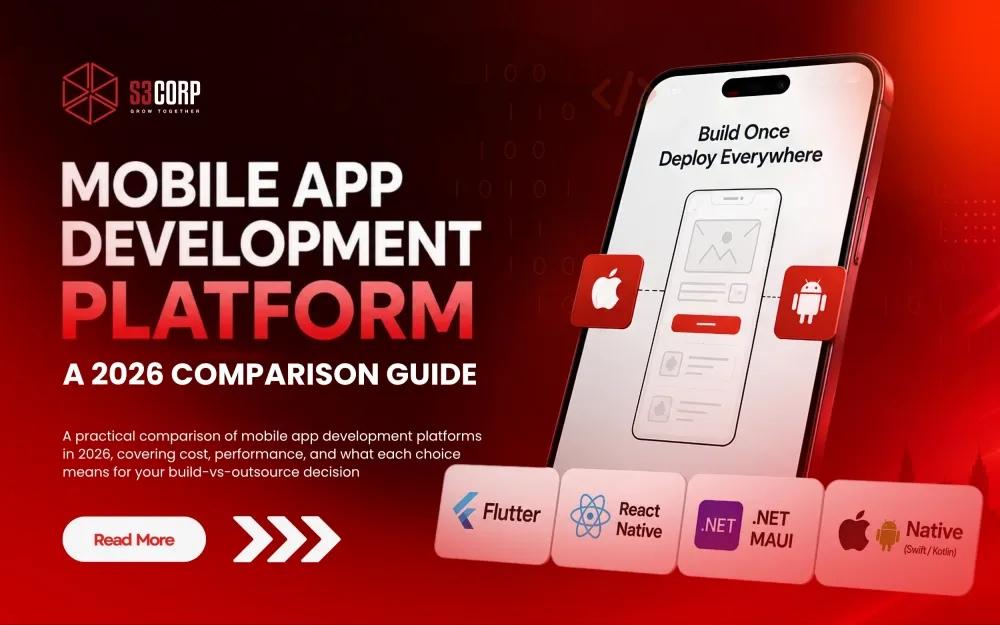
A practical comparison of mobile app development platforms in 2026, covering cost, performance, and what each choice means for your build-vs-outsource decision.
30 Jul 2026
Choosing a mobile app development platform is one of the few technology decisions that quietly locks in your budget, your hiring plan, and your maintenance cost for years. Get it right, and you ship an app your team can extend for a decade. Get it wrong, and you're rebuilding from scratch after eighteen months, once the platform's limitations catch up with your product roadmap. That's a costly lesson, and one this guide is built to help you skip.
This article compares the mobile app development platform options that actually matter in 2026, not the thirty-tool grab-bag lists you'll find elsewhere, many of which still recommend frameworks that stopped receiving updates years ago.
Flutter and React Native lead cross-platform development, Xcode and Android Studio remain the standard for native builds, and low-code platforms such as FlutterFlow and OutSystems serve teams that need to validate an idea fast. Which one fits your project depends on four factors — performance needs, team skills, budget, and long-term maintenance plans — and we'll walk through exactly how to weigh each one.
By the end, you'll have a clear framework for choosing a platform, a realistic sense of what it costs to build with each option, and an honest look at when the platform decision matters less than the decision of who actually builds it. Because in practice, that second decision is where most projects either save money or quietly lose it.
|
Category |
Top Pick |
Best For |
|
Fastest to launch |
Low-code (FlutterFlow, OutSystems) |
MVPs, internal tools, proof-of-concept apps |
|
Best overall balance |
Flutter or React Native |
Startups and scale-ups shipping to iOS and Android together |
|
Best raw performance |
Native (Swift / Kotlin) |
Gaming, AR/VR, hardware-heavy or regulated apps |
A mobile app development platform (MADP) is a software environment that provides the tools needed to design, build, test, and deploy a mobile application, all inside one connected system. Instead of stitching together a separate UI editor, backend service, testing tool, and deployment pipeline, an MADP bundles these into a single workflow. That difference matters more than it sounds, because fragmented tooling is where most timeline overruns quietly start — a missed dependency between the design tool and the deployment pipeline can cost a week of debugging that never shows up on the original project plan.
Every MADP is built from four core pieces, and understanding each one helps you evaluate what you're actually being sold when a vendor pitches a specific stack:
When engineering teams at S3Corp scope a new client project, they map the requirements against these same four categories before recommending a stack, because the platform choice affects everything downstream: hiring, timeline, and the total cost of ownership over the life of the app. A stack that looks cheaper on paper can end up costing more once you factor in the engineering hours spent working around a weak MBaaS layer or a limited API connector.
Four platform categories cover almost every mobile build in 2026: native frameworks, cross-platform frameworks, hybrid frameworks, and low-code/no-code platforms. Each one trades performance for speed differently, and the right category depends on what your app actually needs to do, not on which one is trending on developer forums this quarter.
Native development means writing separate code for iOS (Swift) and Android (Kotlin), using each platform's official toolchain. Cross-platform frameworks compile a single codebase into native components for both operating systems, which is different from hybrid frameworks that wrap a web application inside a native shell. Low-code and no-code platforms replace manual coding with visual, drag-and-drop builders, trading flexibility for speed.
|
Type |
Trade-offs |
Best Fit |
|
Native (Swift, Kotlin) |
Full hardware access and best performance, but separate codebases double the engineering effort |
Gaming, AR/VR, biometric or sensor-heavy apps |
|
Cross-Platform (Flutter, React Native) |
Near-native performance from one shared codebase; some platform-specific work still needed |
Startups and scale-ups launching on iOS and Android together |
|
Hybrid (Ionic, Capacitor) |
Web skills transfer directly and prototyping is fast, but performance lags on animation-heavy screens |
Content-driven apps, internal enterprise tools, MVPs |
|
Low-Code/No-Code (FlutterFlow, OutSystems) |
Fastest time to market, but limited flexibility for complex logic and a real risk of vendor lock-in |
Simple business apps, proof-of-concept builds |
Most client builds handled by engineering teams at S3Corp land in the cross-platform category, and there's a clear reason why: it's the best fit for startups and scale-ups that need to launch on both iOS and Android without paying for two separate engineering efforts. A health-monitoring mobile app built for a healthcare client is a good example of a project where cross-platform delivery kept both the timeline and the budget in check, without sacrificing the native feel users expect from a health app that handles sensitive personal data.
This matters even more once you factor in industry-specific constraints. A fintech app handling payment data has different platform requirements than an education app delivering video content, and a blockchain-based product has different security demands again. We'll return to this in more depth further down, because it changes which platform category actually makes sense for your specific build.
Flutter and React Native lead cross-platform mobile development in 2026, while Xcode and Android Studio remain the standard toolchains for native iOS and Android builds, respectively. Below is a breakdown of the platforms actually worth your consideration this year, along with the legacy tools you can safely leave off your shortlist, no matter how many older articles still list them.
Flutter, built by Google, compiles directly to native ARM code using its own rendering engine, which is why it tends to edge out the competition on raw performance and animation-heavy interfaces. It uses the Dart language, ships with a rich widget library, and supports hot reload, so your team sees UI changes instantly during development instead of waiting through a full rebuild cycle. According to Statista's developer survey data, 46% of software developers worldwide used Flutter as their cross-platform framework of choice as of 2023, making it the single most-used option in the category. Flutter is a strong pick for startups building a visually distinctive product from scratch, and for teams that value having one vendor (Google) responsible for the entire toolchain.
Flutter is the ideal choice for consumer apps where UI polish and animation quality are competitive differentiators, rather than afterthoughts.
React Native, built by Meta, lets teams already comfortable with JavaScript and React ship native iOS and Android apps without learning a new language. Because it renders to native UI components instead of a web view, it avoids most of the performance penalties associated with hybrid frameworks. The same Statista dataset put React Native's global developer usage at 35% in 2023, meaning Flutter and React Native together account for roughly 80% of all cross-platform mobile development worldwide. React Native tends to be the more practical option for teams that already run a web engineering team on React, since the skill overlap shortens onboarding significantly and lets a single team maintain both the web app and the mobile app.
React Native is the best choice for teams with an existing JavaScript or React codebase who want to extend into mobile without hiring a separate specialist team.
Engineering teams at S3Corp work in both frameworks daily, across clients in the US, UK, and Singapore. See the full-lifecycle application development services offered, which cover everything from initial architecture through App Store submission
.NET MAUI is Microsoft's official successor to Xamarin, and it matters that this is a firm transition rather than an optional upgrade. Microsoft ended official support for Xamarin on May 1, 2024, which means any app still running on it no longer receives security patches, a real problem for anything processing customer data. .NET MAUI is the right call for teams already invested in the .NET ecosystem and C#, since it shares much of that tooling and offers a single project structure targeting Android, iOS, macOS, and Windows from one codebase.
This is the ideal choice for enterprises with an existing .NET stack who need mobile apps that integrate cleanly with internal C# systems.
Kotlin Multiplatform (KMP) takes a different approach than the frameworks above. Its core model shares business logic — networking, data models, and core application logic — across Android, iOS, and desktop. Historically, that meant keeping the UI fully native and hand-built on each platform, which is still the most common and most battle-tested way teams use KMP today.
That said, calling KMP a "logic-only" framework is no longer the full picture in 2026. Compose Multiplatform, JetBrains' UI toolkit built on the same foundation, has matured to the point where sharing the UI layer itself — including on iOS — is now a genuinely viable path, not just an experimental one. Teams that want to go further than shared logic can share views too, cutting into the UI duplication that used to be KMP's main trade-off. JetBrains has been investing heavily across both the core KMP tooling and Compose Multiplatform, which suggests continued momentum rather than a passing trend.
The practical takeaway: logic-sharing is still KMP's primary selling point and the safer default for most production teams, especially where a fully native look and feel on each platform matters. But for teams open to a shared UI layer, or already using Compose on Android, Compose Multiplatform removes what used to be the main reason to rule KMP out for interface work too.
It is the best choice for Android-first companies that need to expand to iOS while reusing as much backend logic as possible, and increasingly a fit for teams willing to share UI as well, not just logic.
For apps that depend on deep hardware access — camera-intensive apps, biometric authentication, AR experiences, or high-end games — native development with Xcode (Swift) and Android Studio (Kotlin) remains the gold standard. You maintain two separate codebases, which raises cost and timeline, but you get complete control over performance and access to the platform's newest APIs on day one, rather than waiting for a cross-platform framework to catch up months later.
This is the ideal choice for apps where performance and hardware access are the product, not a feature of it.
Low-code platforms let non-specialist teams assemble functional apps through visual builders, and they've matured well beyond their early "throwaway prototype" reputation. OutSystems and Mendix now support role-based access, workflow automation, and integrations suitable for internal enterprise tools such as approval systems and dashboards. FlutterFlow bridges the gap further, since it generates real, exportable Flutter code rather than locking you into a proprietary runtime, which matters if you ever need to hand the project to a traditional engineering team later.
It works best for internal tools, proof-of-concept builds, and MVPs where speed to a working product outweighs deep customization.
Ionic and Capacitor wrap web technologies (HTML, CSS, JavaScript) inside a native shell, which makes them a reasonable choice for content-driven apps or MVPs where speed to market outweighs peak performance.
Ionic and Capacitor get mentioned together so often that it's easy to miss they play different roles in the stack. Capacitor is the native runtime layer — it's what packages a web app into an installable iOS or Android app and exposes native device APIs (camera, filesystem, push notifications) to it. It's Ionic's answer to, and effectively the successor of, Cordova, which handled that same bridging job in earlier hybrid tooling. Ionic, meanwhile, is the UI layer: a library of pre-built, platform-adaptive components (buttons, nav bars, modals) built with standard web technology — HTML, CSS, and JavaScript, usable with Angular, React, or Vue.
In practice, most teams use both together: Ionic's components for the interface, Capacitor to wrap the app and reach native device features. But they're decoupled by design — a team can use Capacitor alone to wrap a custom web app without touching Ionic's component library, which matters if you already have a design system and just need the native packaging layer. That flexibility is one reason this pairing remains a reasonable choice for content-driven apps or MVPs where speed to market outweighs peak performance.
They're also common in outsourced development relationships, since a team already comfortable with web technologies can pick them up without new hires, which shortens the ramp-up time on a new engagement.
This is the ideal choice for teams with strong web development skills who need a functional mobile presence without a dedicated mobile specialist hire.
If a proposal recommends PhoneGap, Appcelerator, Adobe AIR, jQuery Mobile, or standalone Xamarin as a current option, treat that as a warning sign rather than a recommendation, regardless of how the pitch is framed. These tools are either formally deprecated or so far past their peak adoption that finding maintainers or a hiring pool becomes a genuine business risk within a year or two of launch, not a distant hypothetical.
|
Platform |
Performance & Cost Profile |
Best Fit |
|
Flutter |
Near-native performance, moderate hiring cost |
Visually distinctive consumer or startup apps |
|
React Native |
Near-native performance, large JavaScript talent pool |
Teams with existing web/React engineers |
|
.NET MAUI |
Native performance, best for existing .NET shops |
Enterprises already on the Microsoft stack |
|
Kotlin Multiplatform |
Native UI, shared business logic only |
Android-first teams expanding to iOS |
|
Native (Swift/Kotlin) |
Best possible performance, highest cost |
Gaming, AR/VR, hardware-heavy apps |
|
Low-code (FlutterFlow, OutSystems) |
Fastest delivery, limited customization |
MVPs, internal tools, proof-of-concept |
Looking ahead, expect AI-assisted coding tools to become a standard layer across most of these platforms rather than a separate add-on. Several low-code vendors already generate scaffolding code from natural-language prompts, and that trend is likely to narrow the speed gap between low-code and hand-coded cross-platform development over the next couple of years. It won't replace the judgment needed to choose the right platform in the first place, which is exactly why the decision framework below still matters.
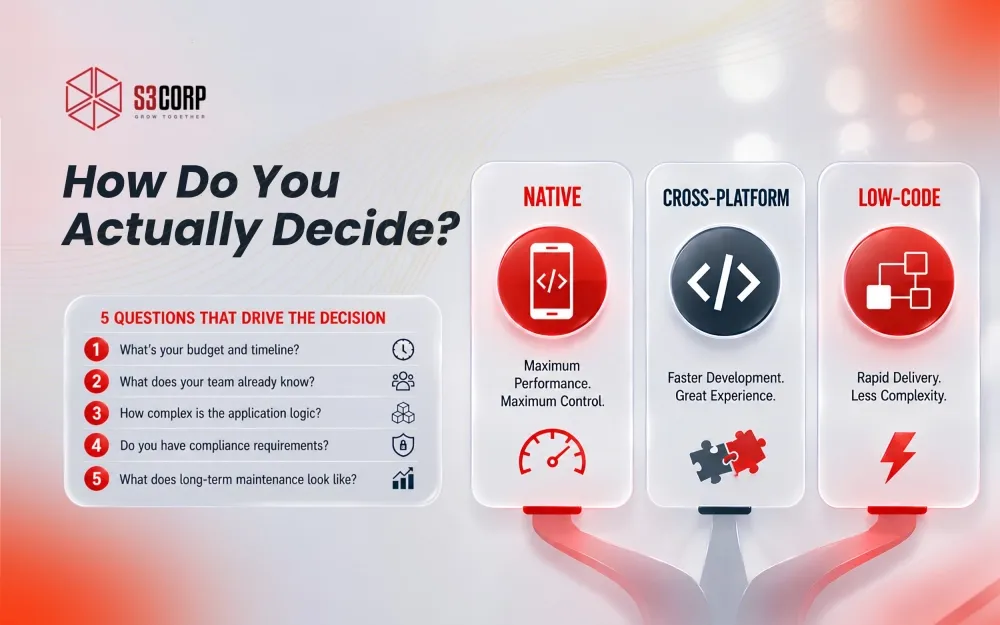 Start with your app's performance ceiling: if it depends on the camera, sensors, or heavy graphics, native development is worth the added cost. If it doesn't, cross-platform frameworks will save you time and money without a meaningful drop in user experience. From there, the decision comes down to five questions, roughly in this order of importance.
Solution architects at S3Corp run through this exact checklist with clients during a scoping conversation, before recommending a stack, because a mismatched platform choice is one of the most common reasons software outsourcing projects run over budget or stall midway. For a closer look at the specific failure patterns worth watching for, the guide on why some software outsourcing projects fail covers the mistakes that tend to compound a wrong platform choice, and the guide to choosing a software development company covers the vendor-side questions worth asking before you commit a budget.
The platform is only half the decision. Who builds it matters just as much, and this is the part most comparison guides skip entirely. A platform-based approach, using a low-code tool or a well-supported framework, gets you moving fastest, but caps your flexibility once your product outgrows the platform's assumptions. Custom in-house development gives you full control, but means carrying the cost of hiring, managing, and retaining engineers year-round, which is a heavier commitment than most companies realize until they're mid-hire. An outsourced dedicated team sits between the two: you get custom-built software with full flexibility, without the fixed cost of building an internal engineering department from scratch.
|
Approach |
Speed & Cost |
Control & Risk |
|
Platform-Based (low-code) |
Fastest, lowest upfront cost |
Limited to what the platform supports; real vendor lock-in risk |
|
Custom In-House |
Slower to start, higher fixed cost |
Full control; carries hiring and retention risk |
|
Outsourced Dedicated Team |
Moderate to fast, cost scales with scope |
Full flexibility with lower fixed overhead than in-house hiring |
This is where the practical experience of a 19+ year outsourcing partner earns its keep. A project like the iOS app built for HungryGoWhere or the location-based mobile app for showing nearby services shows what a dedicated outsourced team can deliver when the platform choice and the delivery model are aligned from day one, rather than decided separately by different people at different stages of the project.
If you're weighing this trade-off for your own roadmap, it's worth understanding the specific engagement models available, since "outsourcing" isn't one option, it's several. The collaboration models page breaks down dedicated team, staff augmentation, and full project outsourcing as distinct structures, each suited to a different stage of a project. For companies specifically weighing in-house hiring against staff augmentation, the guide on the benefits of IT staff augmentation and the breakdown of challenges in hiring an in-house software team both cover the practical side of that comparison in more depth. And if the team structure itself is the open question, the guide to software development team structure lays out what a well-formed delivery team actually looks like, role by role.
Talk to a solution architect at S3Corp about scoping your build before you commit to a platform or a hiring plan.
Expect a simple cross-platform MVP to start around $20,000 to $50,000, a mid-complexity business app to land between $50,000 and $120,000, and a native, feature-heavy build to run well past $150,000, with team location being the single biggest lever on where you land in that range. Platform choice sets your baseline; team location and engagement model do the rest of the work.
The average hourly rate for app developers on the platform runs between $25 and $65, with full-cycle project costs typically falling between $10,000 and $49,000 for straightforward builds. For more complex, feature-rich apps, North American senior engineering rates at $120 to $250 per hour, while offshore development can reduce total project cost by 40 to 70% for comparable output quality.
|
Platform Type |
Typical Cost Range (US Agency) |
Typical Cost Range (Offshore/Vietnam) |
|
Low-code MVP |
$15,000–$40,000 |
$8,000–$20,000 |
|
Cross-platform (Flutter/React Native) |
$50,000–$150,000 |
$20,000–$70,000 |
|
Native (Swift + Kotlin, dual codebase) |
$100,000–$300,000+ |
$40,000–$130,000 |
The gap between US and offshore pricing isn't a quality trade-off by default. It reflects differences in operating cost and hourly rates, not necessarily in engineering skill. Vietnam specifically has climbed the rankings on this front: the country placed 7th globally on Kearney's 2023 Global Services Location Index, which evaluates offshore destinations on cost competitiveness, talent scale, and business environment together, rather than on hourly rate alone. That ranking matters because it explains why the savings shown above hold up over multiple years of a project, not just at the initial quote stage.
What the cost tables above don't show is the maintenance layer, and this is where budgets quietly slip. Ongoing QA, bug fixes, and OS-version updates typically add 15 to 25% of the original build cost per year, a detail worth planning for before launch, not after the first crash report comes in. Quality assurance and testing services and DevOps services both play into keeping that ongoing cost predictable, since a weak QA process or a manual deployment pipeline tends to be where maintenance budgets balloon unexpectedly. For a fuller breakdown of what drives the numbers up or down on a specific project, the software development cost guide walks through the cost drivers in more depth, and the guide to hiring offshore developers covers what to check before committing to an offshore partner.
The right platform choice shifts depending on the industry your app serves, because the compliance load and the performance bar both change from one sector to the next. A few patterns show up consistently across client work.
The throughline across all of these: industry context should shape your platform decision before cost or team preference does. A fintech startup and an education platform can have identical budgets and nearly opposite platform requirements, and treating them the same is a common, avoidable mistake.
A mobile app development platform (MADP) is a software environment that provides the tools to design, build, test, and deploy mobile apps from one connected system. It combines UI builders, backend infrastructure, API integrations, and deployment pipelines, so a team doesn't manage a separate tool for each stage of the build.
Both are strong choices that serve different needs. Flutter offers faster rendering through its own engine and a large widget library, making it well suited to visually distinctive, animation-heavy apps. React Native gives teams already fluent in JavaScript a shorter learning curve and a large existing talent pool to hire from.
Microsoft ended official support for Xamarin on May 1, 2024, and recommends migrating to .NET MAUI, its official successor. Apps still running on Xamarin no longer receive security patches, so continuing to build on it carries real risk for any production application handling user data.
Low-code platforms let teams build apps with a mix of visual tools and light custom code, which suits projects where some custom logic is still needed. No-code platforms remove coding almost entirely, trading flexibility for speed, and work best for simple, standard-workflow apps.
Cost depends heavily on platform, complexity, and team location, but a simple cross-platform MVP typically starts around $20,000 to $50,000, while a feature-rich native app can exceed $150,000. Offshore development can reduce these figures by 40 to 70% for comparable output, according to industry benchmarking data.
Choose native development when your app depends on deep hardware access, such as camera-intensive features, biometric authentication, AR/VR, or high-performance gaming. For most standard business or consumer apps, cross-platform frameworks deliver a comparable user experience at a lower cost.
Kotlin Multiplatform shares business logic, not UI, across Android and iOS, while keeping each platform's interface fully native. It fits Android-first teams that want to extend backend logic to iOS without rewriting it in Swift, though it still requires native UI expertise on both platforms.
It depends on the platform category. Low-code and no-code tools such as FlutterFlow and OutSystems are designed for minimal coding experience. Cross-platform frameworks and native development still require proficiency in languages such as Dart, JavaScript, Swift, or Kotlin, so the right starting point depends on your team's existing skills.
If your app needs deep hardware access, or you're building a performance-critical game, go native. If you're a startup or scale-up launching on iOS and Android together, Flutter or React Native will get you there faster without a meaningful compromise on user experience. If you're validating an idea or building a simple internal tool, a low-code platform gets you to a working product in weeks rather than months.
Whichever platform fits, remember that the framework decision is only step one. The bigger question, and the one that actually determines whether your app ships on time and within budget, is who builds it. With more than 19 years of experience delivering software for clients across NA, the UK, and Singapore, and with engineering teams across Vietnam skilled in every platform covered above, S3Corp takes a strategic approach to matching platform choice with delivery model rather than treating them as separate decisions made by separate people.
Talk to a solution architect at S3Corp about scoping your specific project, or explore how application development services and quality assurance and testing services at S3Corp come together to de-risk a build from the first sprint through launch.

Whether you have any questions, or wish to get a quote for your project, or require further information about what we can offer you, please do not hesitate to contact us.
Contact us Need a reliable software development partner?
S3Corp. offers comprehensive software development outsourcing services ranging from software development to software verification and maintenance for a wide variety of industries and technologies





Software Development Center
_1746790956049.webp&w=384&q=75)
_1746790970871.webp&w=384&q=75)