Whether you have any questions, or wish to get a quote for your project, or require further information about what we can offer you, please do not hesitate to contact us.
Contact us Need a reliable software development partner?
S3Corp. offers comprehensive software development outsourcing services ranging from software development to software verification and maintenance for a wide variety of industries and technologies





Software Development Center
_1746790956049.webp&w=384&q=75)
_1746790970871.webp&w=384&q=75)

Insights
Table Of Content
Key Takeaways
Introduction
Which Delivery Model Fits Your Enterprise Mobile App?
What Is Enterprise Mobile Application Development, and How Is It Different from a Consumer App?
Types of Enterprise Mobile Apps by Function
Must-Have Features and Security Requirements for Enterprise Mobile Apps
Enterprise Mobile App Development Cost — US, Singapore, and Outsourced Rates Compared
The Enterprise Mobile App Development Process, Step by Step
Platform and Tech Stack Choices — What to Drop from Older Comparisons
Build In-House, Buy a Low-Code Platform, or Outsource? The Decision Enterprise Buyers Actually Face
Who Sees Your Code and Data When You Outsource?
Get an Enterprise Mobile App Built by a Team That Has Done This Before
FAQ
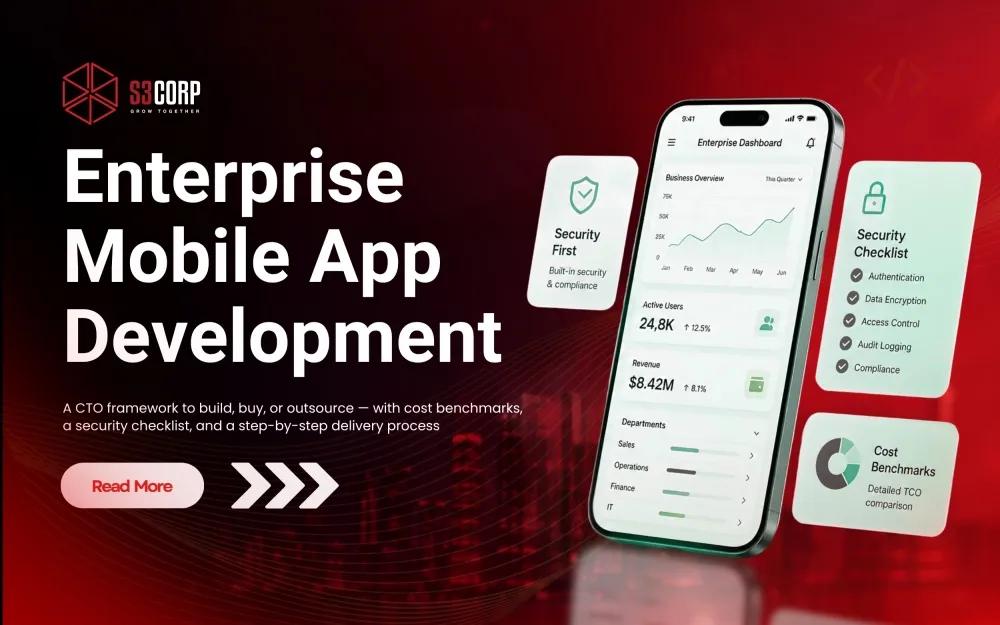
A CTO framework for enterprise mobile application development: build in-house, adopt a low-code platform, or outsource — with cost benchmarks, a security checklist, and a step-by-step delivery process.
01 Aug 2026
Enterprise mobile application development is the process of building secure, scalable mobile apps designed specifically for an organization's internal workflows, its partner network, or its business-to-business customers — not for the app store crowd. A consumer app chases downloads. An enterprise app has to survive a security audit, plug into an ERP system that has been running since 2014, and keep working offline when a field technician loses signal in a warehouse basement. That distinction explains why so many technical leaders search this topic and hit the same wall: most guides walk through features, but very few help with the decision that actually determines the outcome — build the team yourself, adopt a low-code platform, or bring in an outsourced partner.
This guide works through that decision directly, with the cost, security, and process detail you to act on it. You will get a practical framework for choosing between the three delivery models, a breakdown of the features and compliance work a production-ready app genuinely requires, a side-by-side cost comparison across US, Singapore, and Vietnam-based delivery, and the security questions that too many outsourcing guides leave out entirely. By the end, you should be able to walk into a vendor conversation and ask sharper questions than most vendors expect.
S3Corp has spent more than 19 years as a Vietnam-based outsourcing partner, working from a bench of 250-plus engineers with technical depth that runs beyond standard mobile and web work into networking, embedded systems, and wireless protocols. That background shapes some of the framing below — particularly around integration-heavy builds — but the goal of this piece is a decision framework you can use regardless of which vendor, or non-vendor, you end up choosing.
|
Delivery Model |
Best For |
Watch Out For |
|
Build in-house |
Enterprises with existing mobile engineering capacity and a multi-year roadmap that justifies fixed headcount |
Slow ramp-up, ongoing hiring cost, retention risk in a competitive talent market |
|
Low-code platform (Mendix, OutSystems) |
Teams that need a working app fast and can live inside the platform's constraints |
Vendor lock-in, limited flexibility for deep custom integrations, licensing cost at scale |
|
Generalist outsourcing shop |
Simple, self-contained apps with minimal integration or compliance requirements |
Thin bench for legacy-system integration, security certification, or regulated industries |
|
Specialist outsourcing partner |
Integration-heavy enterprise apps needing ERP/CRM connectivity, security certification, and long-term support |
Requires more upfront vetting, but closes the gap a generalist shop leaves open |
Enterprise mobile application development is the design and build of mobile software for an organization's internal workers, partners, or business customers. It prioritizes security, role-based access, and integration with systems such as ERP and CRM over the download numbers and mass-market polish that define a typical consumer app.
The difference shows up in how success gets measured. A consumer app's success metric is daily active users. An enterprise app's success metric is whether a claims adjuster processes a policy 20% faster, or whether a field engineer pulls up an asset's full maintenance history without calling the office. Different metrics push toward different engineering priorities — which is why the two categories of app end up looking nothing alike under the hood, even when they share a framework like React Native on the surface.
|
Dimension |
Enterprise App |
Consumer App |
|
Primary user |
Employees, partners, or B2B customers |
General public |
|
Success metric |
Workflow efficiency, adoption inside a defined user base |
Downloads, daily active users, engagement |
|
Integration depth |
Deep — ERP, CRM, HRM, legacy systems |
Minimal — usually standalone or lightweight APIs |
|
Security bar |
Role-based access, audit logging, compliance certification |
Standard authentication, lighter regulatory pressure |
If the distinction between a mobile-first build and a responsive web platform is still an open question for your team, web apps and mobile apps compared by S3Corp is worth reading before locking in a format.
Enterprise mobile apps generally fall into five functional categories: internal workforce and operations apps, customer-facing portals, sales and field-service apps, partner and vendor collaboration apps, and industry-specific apps for regulated sectors such as fintech or healthcare.
A production-ready enterprise mobile app needs role-based access control, encryption at rest and in transit, offline access with secure sync, deep API integration with ERP, CRM, and legacy systems, and audit logging. Security and integration depth, not visual polish, separate an enterprise-grade app from a well-built consumer app.
ISO 27001 certification is the clearest external proof a vendor takes information security seriously. It is the leading globally recognized standard for information security management systems, and it should function as a baseline expectation, not a nice-to-have line item on a proposal. Security testing belongs inside the QA cycle from the first sprint, not appended at the end of it — see how QA and testing services by S3Corp integrate security validation throughout development. For apps handling regulated data specifically, the Data Security domain page by S3Corp goes further into encryption and compliance practices across client engagements.
In the US, enterprise mobile app development typically runs $80,000 to $500,000 depending on integration complexity. In Singapore, local vendors quote roughly SGD 120,000 to 300,000-plus for comparable scope. Outsourcing to an experienced Vietnam-based team is generally positioned as a lower-cost alternative to US or Singapore local-agency rates — though every buyer should confirm current quotes directly rather than budgeting off any single published range.
Rate spread comes down to location, seniority, and integration complexity more than any other factor. According to Clutch-sourced offshore rate data, hourly software development rates worldwide span roughly $25 to $149 depending on region and seniority. Within that spread, standard development roles in India, Vietnam, and the Philippines tend to land between $25 and $49 per hour, a fraction of the $50-to-$180-plus hourly rates common in the US for equivalent seniority.
|
Region / Model |
Typical Range |
What Drives the Range |
|
US in-house / local agency |
$80,000 – $500,000 per project |
Local salary levels, integration complexity, compliance scope |
|
Singapore local vendor |
SGD 120,000 – 300,000+ per project |
Local cost of living, PDPA compliance work, integration depth |
|
Vietnam-based outsourced partner |
Meaningfully lower total cost for comparable scope |
Lower hourly rates, offset by upfront vendor vetting and communication setup |
Whatever region you land on, budget for costs that never show up in a headline rate. Onboarding, project management overhead, and post-launch maintenance typically add 20 to 30 percent on top of the initial development quote, a pattern that holds across offshore rate guides regardless of destination. For a fuller breakdown of what drives software project pricing beyond hourly rates, this guide to software development cost by S3Corp goes deeper than a single table can. If cost comparison across delivery models is the deciding factor, two related reads help: nearshore versus offshore software development and the best offshore software development countries, both of which go destination-by-destination rather than region-by-region. For the Vietnam-specific case in full, see why outsourcing to Vietnam.
A structured enterprise mobile app build moves through five phases: discovery and requirements, UX and architecture design, iterative development with parallel QA, phased deployment, and ongoing maintenance. Discovery and architecture get disproportionately more time than they would on a consumer app, because integration and compliance stakes are higher from day one.
Stakeholders map existing workflows, define user roles, audit legacy systems for integration feasibility, and set measurable success metrics before a single line of code gets written. Skipping or rushing this phase is the single most common cause of scope creep on integration-heavy builds.
Role-based UX design runs in parallel with system architecture. This is where the team locks in API contracts, data flow, and the scalable architecture decisions that determine whether the app can add a new business unit two years later without a rebuild from scratch.
Development moves in iterative sprints, feature by feature, with functional testing, security testing, and integration testing running continuously rather than bunched at the end. Continuous integration and automated deployment pipelines — the discipline covered on the DevOps services by S3Corp — keep this phase from becoming a bottleneck as the codebase grows.
Enterprise rollouts favor controlled release: pilot user groups, UAT cycles, and staged rollout ahead of a company-wide release, particularly for apps touching regulated data. A rushed, all-at-once launch is where most enterprise mobile projects lose user trust in the first month.
Bug fixes, security patches, OS-compatibility updates, and feature evolution continue as the business changes around the app. This phase is where most first-time buyers underbudget — plan for it contractually from the start, not as a surprise line item eight months post-launch.
For a concrete look at how this plays out end to end, the mobile application case study and health monitoring app case study by S3Corp both walk through discovery-to-deployment work on integration-heavy mobile builds.
React Native and Flutter remain the default cross-platform choices for enterprise mobile apps heading into 2026. Native Swift and Kotlin still win for apps needing deep hardware access or AR/VR functionality, and low-code platforms such as Mendix or OutSystems fit teams that want to move fast without a large mobile engineering bench.
|
Approach |
Best For |
Trade-off |
|
Native (Swift / Kotlin) |
Deep hardware access, AR/VR, maximum performance |
Two separate codebases, higher cost, longer timeline |
|
Cross-platform (React Native, Flutter, Kotlin Multiplatform) |
Most enterprise apps — one codebase for iOS and Android; KMP specifically fits teams that want to share business logic and API integrations across platforms while keeping the UI fully native |
Minor performance trade-offs versus fully native builds; KMP requires maintaining separate native UI layers, which adds work React Native and Flutter avoid |
|
Low-code (Mendix, OutSystems) |
Teams prioritizing speed over deep customization |
Vendor lock-in, licensing cost, limited flexibility on complex integrations |
By 2026, a growing number of enterprise teams have adopted KMP because it lets them share complex core business logic and API integrations across iOS and Android while keeping the UI strictly native — a crucial middle-ground for CTOs who want cross-platform efficiency without sacrificing native performance.
One caution worth flagging for anyone comparing platform guides: some older comparisons still list Appgyver alongside Mendix and OutSystems as a current no-code option. SAP discontinued Appgyver in 2024, so any guide still treating it as an active choice for enterprise mobile application development platform decisions is working from outdated information — a small detail, but the kind that signals whether a guide is genuinely current.
Most technical leaders do not need another feature checklist. They need to know whether to hire in-house mobile engineers, adopt a low-code platform such as Mendix or OutSystems, or bring in an outsourced development partner — and that choice comes down to three variables: how deeply the app has to integrate with existing systems, how fast it needs to ship, and how much control the team wants over the codebase long after launch.
Run through these four questions before committing to a path.
S3Corp positions as a long-term delivery partner rather than a project-by-project vendor, built on more than 19 years of software outsourcing experience. The differentiator that matters most for integration-heavy enterprise apps is depth beyond standard mobile and web work: engineers at S3Corp carry hands-on experience in networking, embedded systems, and wireless protocols including TCP/IP, SNMP, and 802.11 — a combination that a generalist outsourcing shop or a low-code platform rarely matches. Wiring up a REST API and calling it integration is a very different starting point from actually understanding the protocol layer underneath it.
Whichever path fits, the goal stays the same: a strategic approach to delivery that balances speed, cost, and long-term maintainability, rather than optimizing cost and performance in isolation from either. If outsourcing is the front-runner, collaboration models offered by S3Corp show how dedicated team, staff augmentation, and fixed-scope engagements map onto the four questions above.
Outsourcing enterprise mobile app development means a third party handles sensitive backend integrations, API keys, and sometimes production data. IP protection, code-ownership terms, and information-security certifications matter as much as the technical stack a vendor proposes — yet most outsourcing guides skip this question entirely, likely because it is an uncomfortable one for a vendor to raise first.
Ask a prospective outsourcing partner these five questions before signing anything:
These are not hypothetical concerns. Encryption and data-loss-prevention work make up a meaningful share of the case work handled by outsourcing partners with a security specialization — S3Corp has run engagements such as a hard disk encryption project and a data loss prevention project built around exactly this kind of data-handling discipline. S3Corp treats these five questions as a first-conversation topic rather than a clause buried on page twelve of a contract, a byproduct of holding ISO 27001 certification and building security and IP-protection practices specifically for security-conscious buyers across the US and Singapore.
You now have a working framework: three delivery models, the four questions that actually decide between them, the features and security baseline a production-ready app needs, cost ranges across three regions, and the process that keeps an integration-heavy build on schedule. The one thing left is matching that framework to the specifics of your system, your compliance obligations, and your timeline — and that conversation goes faster with a partner who has had it before.
If you are still comparing delivery models, a scoping call is a lower-commitment starting point than a formal proposal. Bring the integration list, the compliance requirements, and a rough timeline, and leave with a realistic read on cost and approach. Contact the team at S3Corp to set one up.
Read More: Mobile App Development Platform: A Comparison Guide
Most enterprise mobile apps take four to twelve months from discovery to launch, depending on integration complexity and the number of user roles. A single-integration internal tool can ship in three to four months; a multi-system platform with compliance requirements often needs nine months or longer.
Build in-house when you have existing mobile engineering capacity and a multi-year roadmap that justifies fixed headcount. Outsource when you need integration-heavy or compliance-driven expertise fast, without carrying the ongoing cost and hiring risk of a permanent team.
ISO 27001 is the baseline for information security management across regions. Buyers in Singapore should also confirm PDPA compliance, while regulated US sectors — finance and healthcare especially — often require SOC 2 or industry-specific frameworks on top of ISO 27001.
React Native or Flutter fits most enterprise apps, since one codebase covers iOS and Android with only minor performance trade-offs. Choose native Swift or Kotlin when the app needs deep hardware access, AR or VR functionality, or maximum performance under heavy load.
Costs range from roughly $80,000 to $500,000 in the US, SGD 120,000 to 300,000-plus in Singapore, and meaningfully lower with an experienced Vietnam-based outsourced partner. Integration complexity, user-role count, and compliance scope drive most of the variation within each range.
Most integrations run through REST or GraphQL APIs, with SOAP still common for legacy SAP or Oracle systems. Real-time sync typically uses webhooks or message queues, and each integration point generally adds two to six weeks of development time depending on system age.