Whether you have any questions, or wish to get a quote for your project, or require further information about what we can offer you, please do not hesitate to contact us.
Contact us Need a reliable software development partner?
S3Corp. offers comprehensive software development outsourcing services ranging from software development to software verification and maintenance for a wide variety of industries and technologies





Software Development Center
_1746790956049.webp&w=384&q=75)
_1746790970871.webp&w=384&q=75)



Insights
Table Of Content
Key Takeaways
What Is PWA Development, Exactly?
How Does PWA Development Work?
PWA Development vs. Native App: When Does a PWA Actually Win?
PWA vs. Native App vs. Responsive Web App: Which Should You Build?
How Much Does PWA Development Cost — By Region?
How to Choose a PWA Development Company (Vendor Evaluation Checklist)
Top PWA Development Frameworks and Tools in 2026
Real-World PWA Examples and Business Results
PWA Development for E-Commerce (Including Magento)
Getting Started with PWA Development
FAQ
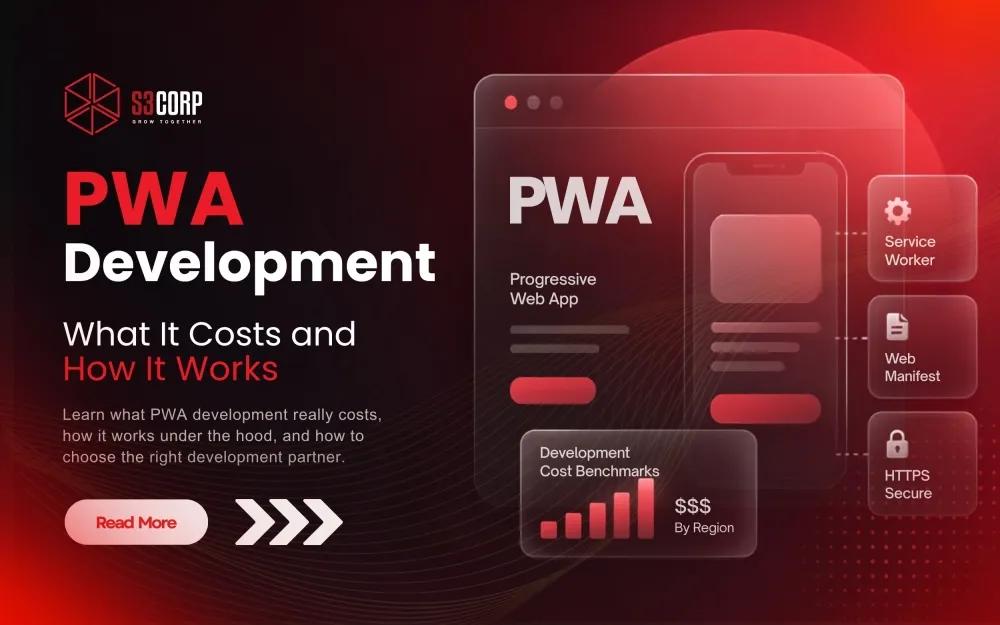
A CTO-level guide to PWA development: what it is, how service workers and manifests actually work, regional cost benchmarks, and a vendor evaluation checklist.
09 Aug 2026
A progressive web app (PWA) is a website built to install, run offline, and send push notifications the way a native app does — using standard HTML, CSS, and JavaScript instead of separate iOS and Android codebases. PWA development typically costs $15,000 to $120,000 or more, depending on complexity and where you build it, and it suits teams that want one codebase, faster release cycles, and lower long-term maintenance than native apps demand.
The global market backs up the urgency here. Grand View Research values the global PWA market at USD 2.08 billion in 2024 and projects it will reach USD 21.24 billion by 2033, growing at a 29.9% compound annual rate. That's not a niche technology bet — it's a mainstream shift in how businesses ship web experiences.
You're reading this because one of two things is true. Either your product team is deciding whether a PWA fits your roadmap, or you already know it does and you're now trying to figure out who should build it. This guide answers both questions directly, and it does so with the regional cost data and vendor-evaluation framework that most articles on this topic skip entirely.
PWA development is the process of building a web application that meets the installability criteria set by Google — served over HTTPS, described by a web app manifest, and backed by a service worker — so it behaves like a native app while remaining a normal, indexable website. That last part matters: unlike a native app hidden behind an app-store login wall, a PWA still gets crawled and ranked by search engines, which is exactly why this format has become popular with e-commerce and media companies that depend on organic traffic.
Three technical requirements make a website qualify as a PWA. Miss any one of them, and browsers won't offer the "install" prompt:
Get those three right, and a browser like Chrome or Edge will request the user to "Add to Home Screen." From there, the app icon behaves like any other installed app, launching in its own window without a visible address bar.
PWA development centers on three pieces working together: the manifest defines what the app looks like once installed, the service worker defines what happens when the network is slow or absent, and HTTPS makes the whole arrangement trustworthy enough for the browser to allow it. Here's the build process most engineering teams follow, step by step.
This is also the point where responsive design stops being optional. A PWA that only looks right on one screen size undermines the entire "one codebase, every device" pitch, so layout work and the technical PWA work need to happen in parallel, not sequentially.
If your team is earlier in the process — still deciding on the overall shape of the build — our custom web application development guide walks through the broader architecture decisions that sit upstream of the PWA-specific choices covered here.
A PWA beats a native app when budget, speed to market, and reach matter more than deep hardware access — specifically, when you need one codebase across every device, no app-store approval delay, and the ability to reach users on slow connections or storage-constrained phones who would never download a native app running into the hundreds of megabytes. Native still wins when your product depends on hardware the browser can't touch, or when performance has to be the absolute best possible.
The comparison table above answers the "what's different" question. This section answers the "so which one do I actually pick" question, since that's the version most engineering leaders are really asking when they search for PWA development vs native app.
Choose a PWA over native when most of the following are true:
Native still earns its higher cost and longer timeline when a product's core function requires Bluetooth pairing, advanced camera or AR features, deep background processing, or app-store discoverability as a growth channel in its own right. Plenty of teams end up building both, using the PWA to capture web and lower-commitment traffic while the native app serves power users — the same logic behind Tinder's and Starbucks' dual-track approach covered later in this guide. If your team is weighing that dual-track path, our breakdown of why mobile apps fail — and the development mistakes behind it covers the most common reasons teams pick the wrong format for their actual user base.
Choose a PWA when you want one codebase across every device, fast iteration without an app-store approval cycle, and offline support without the overhead of two separate native builds. Choose native when you need deep hardware access — Bluetooth, advanced camera controls, background location — or when raw performance is non-negotiable, as it often is for gaming or AR. A plain responsive website is enough if you don't need offline access, push notifications, or an install-to-home-screen option at all.
This decision trips up more teams than the technical build itself does, mainly because "responsive," "hybrid," and "PWA" get used interchangeably in casual conversation when they solve genuinely different problems. Here's the comparison that should settle it:
|
Factor |
Progressive Web App |
Native App |
Responsive Website |
|
Install method |
Add to Home Screen (browser prompt) |
App Store / Google Play download |
No install — browser only |
|
Offline support |
Yes, via service worker caching |
Yes, full OS-level access |
No |
|
Push notifications |
Yes (limited on iOS Safari) |
Yes, full support |
No |
|
Hardware access |
Limited (camera, GPS, some sensors) |
Full (Bluetooth, NFC, advanced camera) |
None beyond standard browser APIs |
|
Typical dev cost |
Moderate — one codebase |
Highest — two codebases (iOS + Android) or cross-platform tooling |
Lowest |
|
Update speed |
Instant — no store review |
Delayed by app-store review cycles |
Instant |
|
App-store presence |
Available on the Microsoft Store directly; requires a lightweight TWA container for Google Play; accepted on Apple App Store if compiled inside a hybrid framework (e.g., Capacitor) with custom platform features. |
Yes — full discoverability across all stores |
Excluded entirely from all formal app stores. |
A useful gut-check: if your product's core value depends on a phone's hardware — a fitness tracker reading a heart-rate sensor, a logistics app scanning barcodes via a dedicated scanner — native or a hybrid approach usually wins. If your core value is content, transactions, or workflow — retail, media, B2B tools, internal dashboards — a PWA is very often the more rational choice for engineering resources and total cost of ownership.
One point worth calling out on desktop specifically: app-store distribution isn't purely a native-app advantage.Microsoft accepts PWAs directly into the Microsoft Store, with no heavy native wrapper required. This removes the overhead of maintaining distinct codebases or building complex native wrappers, allowing web teams to expand their desktop distribution footprint in just a few hours. For a B2B tool or media brand targeting a Windows-heavy user base, that's a real, low-cost distribution channel most native-vs-PWA comparisons overlook entirely.
For a side-by-side of when hybrid or cross-platform frameworks fit better than either extreme, see native vs. hybrid vs. cross-platform mobile app development, and if a fuller native build is the direction your team lands on, our mobile app development guide picks up from there.
PWA development typically runs $15,000 to $40,000 for a simple app — a content site or basic storefront with standard offline support — and $60,000 to $120,000 or more for a complex, multi-integration build involving payments, real-time sync, or connected-device data. Where you build it changes that number substantially, because offshore engineering rates run well below US in-house or agency rates for comparable senior-level work, without a proportional drop in output quality when the vendor is vetted properly.
The spread exists for reasons that have little to do with raw skill and everything to do with cost of living, vetting depth, and engagement model. A senior engineer in San Francisco and a senior engineer in Ho Chi Minh City can write equally solid service-worker code; the US-based one simply costs more to employ because of local salary benchmarks, benefits overhead, and office costs, not because of a talent gap.
|
Region |
Typical hourly rate (senior-level) |
Why the spread exists |
|
US in-house / agency |
$100–$180+/hr |
High cost of living, salary benchmarks, and overhead drive rates up regardless of project complexity |
|
Eastern Europe |
$35–$70/hr |
Strong technical reputation and EU time-zone overlap, at roughly half the US rate |
|
India |
$20–$45/hr |
Large talent pool and scale, with rate variance tied to English proficiency and specialization |
|
Philippines |
$15–$50/hr |
Strong English fluency and cultural alignment with Western clients; rate depends heavily on seniority |
|
Vietnam |
$18–$40/hr by seniority (roughly $26–$37/hr blended, all-in) |
Lower cost of living than India or the Philippines, with a fast-growing senior engineering pool |
This is where positioning matters more than the number on a rate card. S3Corp operates from Vietnam with 19+ years of outsourcing experience and 250+ engineers serving clients across the US, Singapore, and Australia, structured as a long-term delivery partner rather than a transactional staffing vendor. That distinction affects total cost of ownership more than the hourly rate does — a partner who understands your product a year from now costs less in aggregate than a rotating cast of contractors who each need re-onboarding. If you want the fuller regional breakdown beyond PWA specifically, our best offshore software development countries comparison and why outsourcing to Vietnam piece both go deeper on this.
One honest caveat: the hourly rate is rarely your real cost. Budget for management overhead, ramp-up time, and — if you're comparing engagement models — the difference between hiring individual contractors and working with an established collaboration model that already has QA, project management, and delivery processes built in.
Evaluate a PWA development partner on four things beyond price: proven delivery history, security and IP-protection practices, QA and test-automation rigor, and technical depth beyond basic web frameworks. PWA projects that touch payments, offline data sync, or device integrations expose gaps that generalist agencies simply don't hit on a brochure website, so the vendor questions that matter here are different from the ones you'd ask for a marketing site.
Here's the checklist, in the order most CTOs should weigh it:
S3Corp holds ISO 27001 certification, has delivered 400+ successful projects across 25+ countries and 8 or more industries, and received Sao Khue Recognition of Excellence in 2026 in the Software Outsourcing category. The differentiator that matters most for PWA work specifically is technical bench depth beyond standard web development — engineers who also work in networking, embedded systems, and wireless protocols, which becomes directly relevant the moment a PWA needs to sync with connected devices or a complex backend rather than just render a product catalog.
If your evaluation criteria extend beyond PWA specifically, our guide to choosing a software development company and common reasons software outsourcing projects fail cover the broader vendor-risk questions worth asking before you sign anything.
Most PWA development today runs on React, Vue, or Angular for the UI layer, with Ionic available for teams that want a hybrid-app-style component library, and Lighthouse serving as the standard tool for auditing PWA compliance before launch. None of these choices is inherently "correct" — the right pick depends on your existing team's skills, your app's complexity, and how much you value a large hiring pool versus a smaller, more opinionated framework.
|
Framework / Tool |
Best For |
One-Line Note |
|
React |
Large teams, complex state, biggest hiring pool |
Pairs naturally with Workbox for service-worker tooling |
|
Vue.js |
Faster onboarding, smaller teams, gentler learning curve |
Strong documentation, good middle ground between React and Angular |
|
Angular |
Enterprise apps needing strict structure and built-in tooling |
Higher learning curve, but strong for large regulated codebases |
|
Ionic |
Teams wanting a hybrid-app feel with a shared component library |
Useful when the same team also targets app-store distribution later |
|
Workbox |
Service worker generation and caching-strategy management |
Google-maintained, reduces hand-written service worker boilerplate |
|
Lighthouse |
Pre-launch PWA compliance auditing |
Free, built into Chrome DevTools, checks installability and performance |
|
WebAssembly (Wasm) |
Compute-heavy logic inside a PWA — image/video processing, encryption, data compression |
Runs near-native speed in the browser, alongside your UI framework rather than replacing it |
Some older listicles still recommend Polymer as a top PWA framework. It was deprecated by Google years ago in favor of Lit and open-wc, so treat any current recommendation of it as stale advice. Similarly, ScandiPWA shows up in some comparisons, but it's a narrow Magento-specific fork with limited relevance outside that one platform.
WebAssembly has quietly closed the gap on the oldest objection to this whole approach — that PWAs are too slow for genuinely complex logic. Wasm lets a PWA run compute-heavy work (video encoding, image processing, encryption, even parts of a gaming engine) at near-native speed inside the browser, running alongside React, Vue, or Angular rather than replacing them. For a CTO still working from a five-year-old mental model of what a web app can handle, this is the detail that updates it.
These are among the frameworks engineering teams at S3Corp work in as part of broader web app development and mobile development services, spanning everything from a single PWA storefront to full-lifecycle application development that includes ongoing DevOps and release management once the initial build ships.
Companies that have shipped PWAs report measurable business gains, not just technical wins, which is exactly the kind of evidence worth taking into an internal budget conversation.
|
Company |
What Changed |
Reported Result |
|
|
Rebuilt a slow mobile web experience as a PWA using React and service workers |
|
|
Starbucks |
Replaced a heavier native ordering flow with a lightweight PWA (roughly 233KB vs. a 148MB native app) |
Daily active web users roughly doubled after launch |
|
Tinder |
Built "Tinder Online" as a PWA to extend reach into data-costly and low-bandwidth markets |
The pattern across all three: none of these companies replaced their native apps outright. They used a PWA to reach users who wouldn't download or couldn't reasonably run a heavy native app — exactly the audience a native-only strategy leaves on the table.
E-commerce is one of the strongest PWA use cases in production today, mainly because faster load times and offline cart persistence directly affect conversion rate — a slow product page loses a shopper before the pitch even lands. Magento specifically has a dedicated PWA path called PWA Studio, built for merchants who want an app-like storefront without migrating off the platform entirely.
This matters because headless commerce — separating the storefront frontend from the backend commerce engine — pairs naturally with PWA architecture. You get a fast, installable frontend while keeping your existing inventory, checkout, and payment infrastructure intact on the backend. For teams running high-traffic storefronts, this combination often delivers a better return than a full platform migration would, at a fraction of the risk.
PWA development itself is a well-understood technical process at this point — the manifest, the service worker, and the caching strategy aren't a mystery to any competent web team. The real decision most companies face isn't which framework to pick; it's who builds it. In-house, a domestic agency, or an offshore partner changes your cost, your timeline, and your long-term maintenance burden more than any framework choice will.
If you're still comparing options rather than ready to commit to one, that's the right stage to have a scoping conversation, not a sales pitch. Contact the team at S3Corp for a technical consultation on your specific PWA requirements — whether that means a straightforward storefront or a build that needs to integrate with existing devices, backend systems, or compliance requirements. Bring your rough scope, and you'll leave with a clearer sense of the real cost and timeline, not just a quote.
You build an app shell, register a web app manifest that defines icons and display mode, implement a service worker to handle caching and offline behavior, and serve everything over HTTPS. Then you choose a caching strategy, add offline fallbacks, and audit the result with Lighthouse before launch.
PWA development is the process of building a web application that meets Google's installability criteria — HTTPS, a web app manifest, and a service worker — so it installs, works offline, and sends push notifications like a native app while remaining a normal, searchable website.
In web development, a PWA (progressive web app) is a website enhanced with a manifest and service worker so browsers can install it like an app. It's a set of standards, not a separate technology stack, layered on top of existing HTML, CSS, and JavaScript.
A simple PWA typically costs $15,000–$40,000; a complex build with payments, offline sync, or device integrations runs $60,000–$120,000 or more. Where you build it — US in-house, Eastern Europe, or Vietnam and other Asian outsourcing hubs — can shift that total by 3–5x.
Generally, yes. A PWA uses one codebase for every device, avoiding the cost of separate iOS and Android builds and skipping app-store review cycles entirely. Native development typically costs more upfront and carries higher long-term maintenance since two codebases need ongoing updates instead of one.
A PWA wins when budget and timeline are tight, when a meaningful share of users are on slow connections or storage-limited devices, and when organic search visibility matters for acquisition. Native still wins when the product needs deep hardware access — Bluetooth, advanced camera, background GPS — or the highest possible performance ceiling.