Whether you have any questions, or wish to get a quote for your project, or require further information about what we can offer you, please do not hesitate to contact us.
Contact us Need a reliable software development partner?
S3Corp. offers comprehensive software development outsourcing services ranging from software development to software verification and maintenance for a wide variety of industries and technologies





Software Development Center
_1746790956049.webp&w=384&q=75)
_1746790970871.webp&w=384&q=75)



Insights
Table Of Content
Key Takeaways
At a Glance: Five Decisions Every Mobile App Project Faces
What Is Mobile App Development, and What Does It Include?
Why Does Mobile App Development Matter for Businesses?
What Types of Mobile Apps Can a Business Build?
How Do You Choose the Right Mobile App Development Platform?
When Should a Business Use an Enterprise Mobile Application Platform?
How Does Enterprise Mobile App Development Differ From a Consumer App?
What Is the Mobile App Development Process From Idea to Launch?
What Should a Mobile App Development Team Look Like?
How Much Does Mobile App Development Cost?
Cost by Region: How Location Changes the Budget
How Do You Build a Mobile App That Stays Fast, Secure, and Reliable?
Why Do Mobile Apps Fail (and How Do You Avoid It)?
Should You Build In-House, Use a Platform, or Outsource Development?
Which Mobile App Use Cases Should Businesses Consider?
How Should You Plan Mobile App Development for Long-Term Growth?
How Do You Choose a Mobile App Development Partner?
What Should You Decide Before Starting Mobile App Development?
FAQ
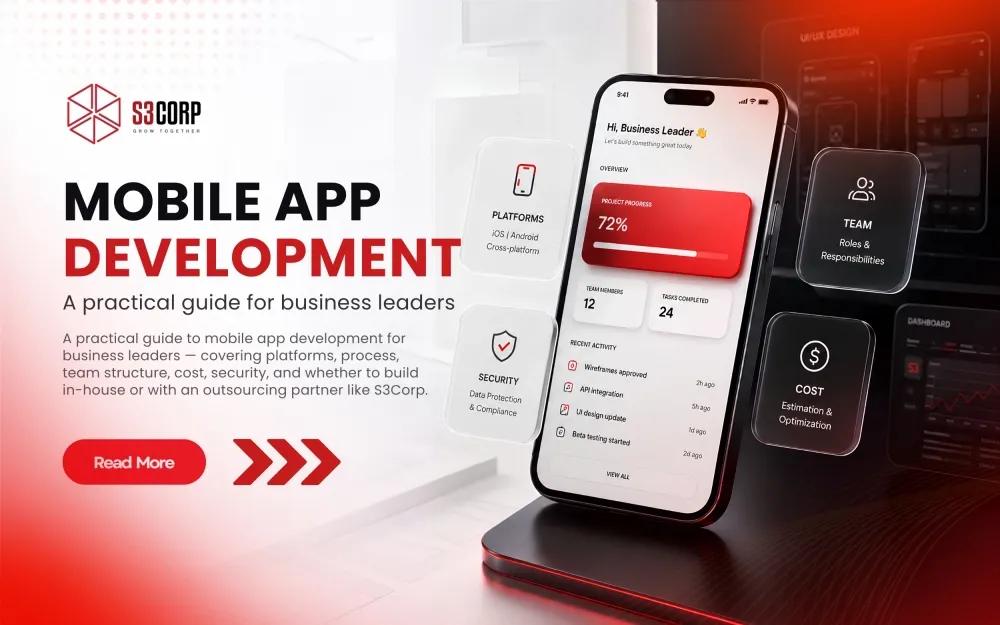
A practical guide to mobile app development for business leaders — covering platforms, process, team structure, cost, security, and whether to build in-house or with an outsourcing partner like S3Corp.
26 Aug 2026
More than half the people on earth now reach the internet mainly through a phone in their hand, not a desktop browser. GSMA reports that 4.4 billion people — 54% of the world's population — used a smartphone to access mobile internet by the end of 2024. That shift carries real budget behind it. Straits Research values the global mobile app development market at USD 338.65 billion in 2026, growing to USD 844.5 billion by 2034.
For a business, that changes what a mobile app actually is. It stops being a side project for marketing and becomes a core channel for revenue, service, and operations.
Mobile app development is the process of planning, designing, building, testing, deploying, and maintaining software for smartphones and tablets. The right approach depends on your product goal, target users, platform needs, security requirements, budget, team skills, and long-term maintenance plan.
This guide walks through each of those decisions, from the first scoping conversation to the app store submission and everything after it. You will also see where global businesses commonly get this wrong, and how a delivery model most guides skip — outsourced engineering — changes both the cost and the risk profile.
Table: Five core decisions in a mobile app project and where to go for depth
|
Decision |
What to Weigh |
Where to Go Deeper |
|
Platform approach |
Performance needs vs. speed to market vs. team skills |
|
|
Build model |
In-house control vs. outsourced cost efficiency |
|
|
Team structure |
Which roles you need and when |
|
|
Cost |
Scope, integrations, region, and post-launch support |
|
|
Maintenance |
OS updates, security patches, and feature iteration after launch |
Mobile app development covers the full lifecycle of a mobile product. It starts with defining the user problem and designing the experience. It continues through building the front end and back end, testing the app, releasing it through the right channel, and maintaining it after launch.
IBM defines mobile application development as the process of building software for smartphones, tablets, and digital assistants, most commonly for Android and iOS. That definition is accurate, but it undersells what a business is actually committing to. A mobile app is not one deliverable and not just a screen on a phone. It is a product system with several interconnected parts, and each part carries its own decisions and its own cost.
Most business apps share the same building blocks, even when the features look nothing alike.
Because of this, a mobile app behaves like a small product system rather than a single mobile interface. Skipping any one of these pieces during planning is usually where budgets and timelines quietly slip later. For the architecture-level detail behind enterprise integrations specifically, see Enterprise Mobile Application Development.
Businesses build mobile apps when a mobile-first experience can improve customer access, employee workflows, transactions, service delivery, or data collection. The strongest business cases tie the app to a measurable goal instead of treating the app as the goal itself.
That distinction matters more than it sounds. A retail brand chasing "we need an app" tends to ship a thin catalog nobody reopens. A retail brand chasing "reduce cart abandonment on mobile checkout" ships something narrower, and usually something that works.
A useful test: finish this sentence before writing a single requirement. "This app exists so that ___ improves by ___." If that sentence is hard to complete, the project needs more discovery, not more development budget.
Table: Matching common business objectives to mobile app capabilities
|
Business Objective |
Mobile Capability That Serves It |
|
Customer self-service |
Account management, support chat, order tracking |
|
Direct commerce |
Mobile checkout, saved payment methods, push-driven re-engagement |
|
Field operations |
Offline-first data capture, GPS, barcode/QR scanning |
|
Employee workflows |
Internal tools, approvals, task routing |
|
Loyalty and retention |
Points, tiered rewards, personalized offers |
|
Connected-device control |
IoT pairing, telemetry, remote commands |
S3Corp has delivered mobile products across 8+ industries, completing 400+ projects for 250+ global clients in 25+ countries, spanning fintech, healthcare, and e-commerce and retail. That range matters less as a claim of universal fit and more as evidence that the underlying decision framework — scope, platform, team, cost, security — holds up across very different business models, from food-service ordering to enterprise field tools.
A business can choose among native apps, cross-platform apps, hybrid apps, progressive web apps (PWA), and enterprise-focused mobile solutions. The right type depends on device capabilities, performance requirements, integration needs, compliance, release targets, and how much platform-specific control the product actually needs.
AWS breaks mobile development into four approaches: native, cross-platform native, hybrid, and progressive web apps, each with a different balance of performance and reach. That framing still holds up well. Here is what it means for a product decision, not just a technical one.
Native apps are built separately for iOS (Swift) and Android (Kotlin), using each platform's own tools. They give you the best performance and full access to device hardware — camera, sensors, biometrics — at the cost of maintaining two codebases.
Cross-platform apps, built with frameworks like Flutter or React Native, compile from one codebase to both platforms. This is the default choice for most business apps today, because it cuts engineering time roughly in half without a meaningful performance penalty for typical business logic.
Hybrid apps wrap web technology (HTML, CSS, JavaScript) inside a native shell. They are fast to build and cheap to maintain, but they hit a ceiling fast once an app needs deep hardware access or heavy animation.
Progressive web apps skip the app store entirely. A PWA installs from a browser, works offline to a degree, and updates instantly — a strong fit when install friction is the real obstacle to adoption. A PWA sits right at the boundary between a web app and a mobile app, which makes it worth understanding how those two categories actually differ before you default to one; see Web Apps and Mobile Apps for that distinction.
Table: Comparing the four mobile app development approaches
|
Approach |
Best Fit |
Main Trade-off |
|
Native (Swift, Kotlin) |
Performance-critical or hardware-heavy apps (AR, wearables, real-time) |
Two separate codebases to build and maintain, highest engineering cost |
|
Cross-platform (Flutter, React Native) |
Most business apps — one team, both platforms |
Occasional custom native modules for edge-case hardware features |
|
Hybrid (Ionic, Capacitor) |
Simple apps, fast MVPs, content-driven apps |
Weaker performance for complex interactions |
|
PWA |
Broad reach without app-store friction |
Limited hardware access and weaker push-notification support on iOS |
For most business apps today, cross-platform frameworks are the pragmatic default. They let one engineering team ship to both iOS and Android without doubling headcount, which matters more to a budget than most framework debates suggest.
For the full technical comparison, including how each approach handles state management, offline behavior, and long-term maintenance cost, see Native vs. Hybrid vs. Cross-Platform Mobile App Development. If broad reach without app-store friction is the priority, the PWA Development Guide covers that path in depth. For apps that need to plug into existing enterprise systems, jump to Enterprise Mobile Application Development.
Your tech-stack decision comes down to three questions: do you need native-level performance, do you need to ship to both iOS and Android fast, and does your team already know a framework well enough to move quickly in it.
Flutter and React Native cover most business apps today, because they let one team build for both platforms without doubling engineering headcount. Native tooling — Xcode for iOS, Android Studio for Android — earns its extra cost only when performance or deep hardware access genuinely demands it.
A framework should fit the product and the team, not the trend. The most talked-about option is not automatically the right one for your build.
Run any shortlist through these six factors before committing:
Table: A short platform matrix
|
Framework |
Best For |
Watch-Out |
|
Flutter |
Fast, visually consistent apps across iOS and Android |
Slightly larger app bundle size |
|
React Native |
Teams with existing JavaScript/React skills |
Native module work needed for some hardware features |
|
Kotlin Multiplatform |
Sharing business logic while keeping a fully native UI |
Smaller hiring pool than Flutter or React Native |
|
.NET MAUI |
Teams already standardized on the .NET stack |
Best suited to organizations already invested in Microsoft tooling |
|
Swift / Kotlin (native) |
Performance-critical or hardware-heavy apps |
Two codebases, highest long-term maintenance cost |
A few once-popular tools deliberately don't appear in that list. Adobe formally discontinued PhoneGap in October 2020, and Microsoft ended mainstream support for standalone Xamarin in May 2024 in favor of .NET MAUI. If a proposal still leans on either one in 2026, that's worth a direct question to the vendor.
For the complete platform comparison, including build tools, CI/CD options, and licensing considerations, see Mobile App Development Platforms.
Enterprise mobile application platforms (MEAP) earn their place when a company needs governed mobile delivery across many users, devices, data sources, APIs, and security controls at once. The platform decision becomes more important as an app moves from a standalone product into a connected piece of business infrastructure.
Use a MEAP when:
A MEAP typically sits between the mobile frontend and a company's existing systems, handling authentication, data routing, offline sync, and security policy in one managed layer instead of building each piece from scratch per app. That is where a scalable architecture pays for itself, because the same layer supports the next three apps, not just the first one.
When governance or security is the driver, this is also where certification matters directly. S3Corp holds ISO 27001 certification for information security management, which becomes relevant the moment an app starts touching enterprise identity and data systems.
For the full feature comparison across MEAP vendors, see Mobile Enterprise Application Platforms (MEAP).
Enterprise mobile app development has to account for identity, access control, internal systems, data governance, device management, security, compliance, and long-term support. A consumer app can optimize mainly for acquisition and engagement. An enterprise app usually has to fit inside a technology and operational environment that already exists — and that it does not get to redesign.
Table: Consumer app vs. enterprise app, by decision area
|
Dimension |
Consumer App |
Enterprise App |
|
Primary goal |
Acquisition, engagement, retention |
Workforce productivity, system integration |
|
Identity |
Simple sign-up, social login |
Single sign-on (SSO), role-based access control |
|
Data |
User-generated content, usage analytics, privacy policy |
Internal systems of record, compliance-bound data, Formal data classification, audit trails |
|
Release cadence |
Frequent, user-facing updates |
Slower, change-controlled releases |
|
Success metric |
Daily/monthly active users, conversion |
Adoption rate, error reduction, time saved per process |
|
Integration |
A handful of third-party APIs |
Multiple internal systems, often legacy |
|
Device management |
User's personal device |
Managed or BYOD fleets under IT policy |
|
Support model |
App store reviews, in-app support |
SLA-backed internal support desk |
For specific regulatory requirements in your industry, always check the official regulator's own guidance rather than a generic list — the details vary too much by sector and geography to summarize safely here. For the architecture-level walkthrough, see Enterprise Mobile Application Development.
A practical mobile app development process moves through discovery, product definition, UX/UI design, architecture, development, testing, deployment, and post-launch maintenance. Validate the product scope before writing production code — changes made after architecture and implementation are locked in cost far more than the same change made on a whiteboard.
Every strong mobile project starts by defining the user problem, the target users, the business objective, the MVP scope, and the metrics that will show whether it worked. Skipping this step does not save time. It moves the same questions to a more expensive point in the project, usually mid-development, when the answer costs a rebuild instead of a conversation.
Competitor research and feasibility checks belong here too. Look at what similar apps in your market already do well, where they fall short, and which device or platform constraints might make an idea harder to build than it looks on paper.
This covers information architecture, user flows, wireframes, prototypes, a design system, accessibility, and platform conventions. Keep the focus on business requirements and usability rather than visual polish alone — a beautiful screen that hides the primary action is still a broken screen.
Accessibility belongs inside that same design stage, not bolted on afterward.The European Accessibility Act has applied since June 28, 2025 and requires WCAG 2.1 Level AA conformance for apps sold to consumers in the EU, including banking and e-commerce, with national enforcement actively ramping up through 2026.
In practice, that means the app has to work cleanly with a screen reader, support dynamic text resizing, and meet color-contrast and keyboard-navigation standards before it reaches any EU market. For a business selling into the US, UK, or Singapore too, similar disability-access expectations are becoming the norm rather than the exception, so this is a legal and market-access requirement now, not a feature to consider later.
Retrofitting accessibility after launch usually costs more than designing for it from the wireframe stage. Screen-reader support and dynamic type touch layout, navigation, and component structure throughout the app, not just a handful of screens.
This stage covers the frontend, backend, APIs, data models, authentication, third-party services, analytics, and the deployment pipeline. It also covers offline behavior, data synchronization, and device integrations, because these are architectural decisions, not implementation details — changing them later usually means rebuilding, not adjusting.
Development splits into native, cross-platform, or hybrid implementation, depending on the platform decision made earlier. Frontend work, backend work, API integration, and environment management typically run as separate, parallel tracks inside the same sprint cycle, which is how an experienced team keeps a strategic approach moving without one workstream blocking another.
Testing should cover functional behavior, usability, service integration, security, cross-device compatibility, network conditions, and performance under load. Real-device testing matters here. An emulator will not catch every issue that a mid-range Android phone on a weak connection surfaces in the first week after launch.
Submit to the App Store and Google Play, or distribute through enterprise channels where relevant. Release management, monitoring, and a rollback plan belong in this stage, not as an afterthought once something breaks in production. This is also where a DevOps practice — automated builds, staged rollouts, monitoring — pays for itself.
An app is a maintained product, not a one-time deliverable. Post-launch work covers OS updates, bug fixes, security patches, performance monitoring, dependency upgrades, analytics review, and feature iteration based on real usage data, not assumptions made during discovery.
A mobile app team usually needs product ownership, technical leadership, design, mobile engineering, back-end engineering, QA, and delivery support. The exact structure depends on scope, platform count, integrations, compliance requirements, and whether the work happens in-house or through an external team.
Table: Core roles on a mobile app team
|
Role |
Core Responsibility |
|
Product owner |
Defines scope, priorities, and success metrics |
|
Tech lead / architect |
Owns technical decisions and system design |
|
UX/UI designer |
Owns the user experience and design system |
|
iOS / Android / cross-platform developer |
Builds and maintains the native or cross-platform codebase |
|
Back-end developer |
Builds APIs, data layer, and business logic |
|
QA engineer |
Owns test strategy and release quality |
|
DevOps / delivery support |
Owns CI/CD, environments, and deployment infrastructure |
A small MVP can run with one product owner, one designer, two developers, and one QA resource covering DevOps duties part-time. An enterprise rollout across multiple business units usually needs dedicated backend, DevOps, and security roles on top of that baseline, plus a delivery lead coordinating release cadence across teams.
S3Corp maintains 250+ engineers across development, QA and testing, maintenance, DevOps and R&D disciplines, delivered through full-lifecycle application development — which is one way a mobile delivery team can draw in engineering and quality expertise without every project needing a fixed headcount from day one. That range means a mobile engagement can start with a two-person squad and scale up without switching vendors mid-project.
For role definitions, sizing guidance, and how to vet mobile engineers before hiring, see Mobile App Development Team Structure.
Simple apps with no back end typically run $10,000–$50,000. Apps with APIs, payments, and moderate custom design land in the $50,000–$100,000 range. Complex apps — real-time sync, machine learning, custom animation — start at $100,000 and climb from there. These bands hold regardless of who builds the app. Where the number actually moves is which region and delivery model you choose, covered in the next section.
Cost depends on scope, platform count, how many features the app needs, integrations, security requirements, testing depth, team location, and post-launch support. A useful estimate starts with product scope and delivery model, then layers in the technical choices that change engineering effort from there.
Table: What drives mobile app development cost
|
Cost Driver |
How It Moves the Budget |
|
Platform count |
Building for iOS and Android separately roughly doubles native front-end effort |
|
Feature complexity |
Real-time sync, offline mode, and custom animation add engineering and QA time |
|
Integrations |
Every third-party API — payments, maps, CRM — adds setup, testing, and ongoing maintenance |
|
Security requirements |
Compliance work (HIPAA, PCI DSS, SOC 2) adds design and testing overhead upfront |
|
Team location |
Rates vary significantly by region, covered next |
|
Post-launch support |
Ongoing maintenance is a recurring cost, not a one-time line item |
A simple estimation formula for a rough budget range: scope × team composition × effort, plus infrastructure and third-party costs, plus ongoing maintenance. That is the shape of every credible estimate, before anyone quotes a final number. For the full breakdown by feature and platform, see Mobile App Development Cost Breakdown.
Where your engineering team sits changes the cost equation more than almost any other decision in this guide. In the United States, the Bureau of Labor Statistics reports a median annual wage of $133,080 for software developers as of May 2024, with a mean hourly wage near $69.50. Vietnam-based teams typically sit closer to the lower end of that global blended average than US figures do — which is the real economic argument for offshore delivery. It reflects cost of living and market structure, not a discount on engineering quality.
That gap is real, but it is not the whole story. A quoted developer salary is not the same number a client pays a vendor. Outsourcing engagement pricing includes project management, QA, infrastructure, and a margin on top of base compensation — on both sides of this comparison, in-house hiring in the US carries its own overhead in benefits, recruiting, and office costs beyond the base salary figure too. The honest comparison is total delivered cost for a given scope, not raw salary versus raw salary.
Table: Indicative hourly rate bands by region
|
Region |
Indicative Hourly Range |
What Drives It |
|
United States (major tech hubs) |
$50–$300+/hr |
High local salaries, cost of living, demand for senior talent |
|
Singapore (local agencies) |
$25–$149/hr, wide range by firm size and seniority mix |
A mixed market of boutique and enterprise-scale providers |
|
Vietnam (outsourced teams) |
Generally toward the lower end of the global $25–$49/hr blended average |
Lower cost of living, a maturing but still cost-competitive talent market |
These are indicative bands drawn from public rate data, not fixed quotes. Any real project estimate should come from a scoped proposal, not a table.
S3Corp is based in Ho Chi Minh City and has delivered projects for clients across Australia, Singapore, and the United States for more than 19 years, which pairs the rate advantage above with direct delivery experience across those exact time zones and expectations.
That geography is exactly why this comparison matters in practice: a mid-size company weighing a US in-house hire against a Vietnam-based dedicated team is comparing these two cost structures directly, and the gap tends to be wide enough to fund either a longer engineering runway or a materially larger team for the same budget. For the delivery-model decision this cost gap actually supports, see the section below, and for engagement structures specifically, see Software Outsourcing Services and Ultimate Guideline.
For the full playbook on evaluating regions and engagement models, see Why Outsourcing to Vietnam and Nearshore vs. Offshore Software Development.
Mobile performance and reliability get planned during architecture and development, not fixed at launch. Teams need to control payload size, network calls, rendering work, data access, caching, error handling, and security while testing across realistic devices and network conditions — not just the fast Wi-Fi in the office.
Performance. Every screen should load fast on a mid-range device over an average connection, not just on the engineering team's flagship phone over office fiber. IBM notes that mobile devices carry far less processing power and memory than desktop or server hardware, which is exactly why offloading heavy processing to the cloud through well-designed APIs keeps an app responsive instead of straining the device it runs on.
Security. Encrypt data at rest and in transit, use secure authentication, and follow the official platform security guidance from Apple and Google rather than a generic checklist. Every third-party SDK added to the app is also a new piece of the attack surface, not just a feature shortcut.
Any app that stores, processes, or transmits card data needs a second standard on top of that general baseline.PCI DSS v4.0 became fully mandatory on March 31, 2025, replacing the older v3.2.1 rules with stricter encryption, multi-factor authentication for anyone touching the cardholder data environment, and continuous monitoring in place of periodic checks.
For a fintech or e-commerce app built in 2026, this is not optional scope. Any vendor handling payment flows should be able to speak to PCI DSS v4.0 requirements specifically, not just point to a general security certification and call it sufficient.
Reliability. Build monitoring and crash reporting in from the first release, not after the first bad review. A rollback plan and a staged rollout catch problems before they reach every user at once.
Pre-launch checklist:
S3Corp holds ISO 27001 certification for information-security management and provides QA/testing and maintenance support as ongoing services, which speaks to how a delivery organization structures its own security practices — not a guarantee that every client app automatically meets a specific industry's compliance bar. For the deeper technical framework, see Mobile App Performance Optimization, and for testing discipline specifically, see Quality Assurance services.
Nearly half of mobile users have deleted an app because of poor performance, and roughly one in five have uninstalled over intrusive notifications or a confusing interface. Most app failures trace back to skipped research, not bad code. Building the wrong thing well is still building the wrong thing.
A 2020 industry report cited in Wikipedia's mobile app development entry found that 46% of users have stopped using or uninstalled an app due to poor performance, alongside related figures showing around 19% of uninstalls trace back to intrusive notifications, and another 19% to hang-ups and slow response times. Confirm current figures against the original source before quoting a specific number in a client-facing conversation — this data is several years old, and app-abandonment behavior shifts as user expectations rise.
Performance still plays a measurable role in that failure rate. AppsFlyer's 2025 uninstall benchmark report found that 46.1% of installed apps in 2024 were uninstalled within 30 days, holding roughly steady from 46.9% the year before. Building the wrong thing well is still building the wrong thing — the app opens fine and performs fine, and gets deleted anyway because it never solved a real problem for the person using it.
Common, avoidable failure patterns:
The fix is rarely a technical one. It is validating the product decision before committing engineering budget to it — which is exactly what the discovery phase earlier in this guide exists to do. For a full diagnostic framework, see Why Mobile Apps Fail: Development Mistakes to Avoid.
The best delivery model depends on the capabilities you already have, the product's technical risk, how fast you need to move, and how much long-term engineering capacity you actually want to own. Once you know what you are building, the real decision is who builds it.
In-house teams give the most control but the slowest ramp-up and the highest fixed cost. No-code and low-code platforms get you moving fast for simple, low-risk products, but they hit a ceiling the moment requirements get specific. A dedicated outsourced team can match in-house senior engineering quality at a meaningful discount to US or Western European headcount cost — provided the partner is vetted properly, because that "provided" is doing real work in that sentence.
Table: Comparing delivery models
|
|
In-House Team |
Platform-Led (No-Code/Low-Code) |
Outsourced Dedicated Team |
|
Best when |
Long-term core product, deep domain knowledge needed |
Simple internal tools, fast validation |
Need senior engineering capacity without US/EU headcount cost |
|
Speed to start |
Slowest — hiring and onboarding first |
Fastest |
Fast, once the partner is vetted |
|
Cost profile |
Highest fixed cost |
Lowest, but limited scope |
Meaningfully lower than in-house at comparable seniority |
|
Main risk |
Slow ramp-up, hiring risk |
Limited customization, platform lock-in |
Requires real vetting on security, communication, and track record |
Picture a Series B fintech company in London that needs to launch a mobile banking companion app within nine months, while its in-house team stays focused on the core web platform. Hiring four senior mobile engineers locally could take a full quarter before anyone writes code, given how competitive that hiring market is right now. A dedicated outsourced team, already assembled and already familiar with financial-services compliance work, can start sprint one within weeks instead of a quarter. That speed, not just the hourly rate, is the actual case for outsourcing.
See how this plays out on real work in the HungryGoWhere iOS app case study and the health monitoring app case study.
S3Corp operates as a Vietnam-based software development and IT outsourcing partner with 19+ years of experience, 400+ completed projects, 250+ global clients, and delivery experience across 25+ countries. The positioning is a long-term delivery relationship rather than a one-off vendor engagement, backed by ISO 27001 certification where security is part of the decision. Different projects call for different collaboration structures — staff augmentation, a dedicated team, or full project ownership — and the right one depends on how much control you want to keep in-house.
For the full outsourcing playbook, see How to Outsource Mobile App Development. For in-house structuring, see Mobile App Development Team Structure. For the different ways an engagement can be structured, see Collaboration Models.
If you are weighing this decision right now, a short technical scoping conversation usually clarifies it faster than another comparison article. Talk with S3Corp about your project scope.
The right mobile use case starts with a clear workflow or customer problem, not a feature list. Common business cases include ecommerce, food ordering, restaurant loyalty, field operations, enterprise workflows, connected-device control, payments, and customer self-service. Each one changes the integration, performance, and security requirements underneath it.
Restaurant and food-service apps need ordering, menus, loyalty, reservations, delivery integrations, payments, and push notifications working together without friction. Work delivered by S3Corp on the HungryGoWhere iOS app, a Singapore-based food-discovery platform, sits in exactly this category. For the full feature and process breakdown, see Restaurant App Development Guide and Food Delivery App Development.
IoT-connected mobile apps handle device onboarding, authentication, telemetry, remote commands, notifications, and offline or intermittent-network behavior — a materially different engineering problem from a typical content or commerce app. See IoT Mobile App Development for the architecture involved.
Enterprise workforce apps center on identity, permissions, internal APIs, offline-capable workflows, device management, and reporting. A health-monitoring app case study delivered by S3Corp reflects this pattern — a workforce or patient-facing tool that has to work reliably inside an existing operational environment, not around it. See Enterprise Mobile Application Development for the full architecture.
Industry context shapes all three of these more than most teams expect going in. A fintech app carries different data-handling obligations than a healthcare app, and an e-commerce and retail app has different peak-load patterns than either. Review the domain-specific pages — including Fintech, Healthcare, and E-Commerce and Retail — for the considerations specific to your sector before finalizing scope.
A mobile app should be planned as a maintained product, not a one-time software project. The architecture, platform choice, code ownership, testing strategy, deployment pipeline, analytics, and documentation all need to support future releases, new devices, security updates, and changing business requirements — because all four of those things are coming, whether or not the roadmap accounts for them.
At launch, the priority is a stable MVP, working analytics, and a support process for the first wave of user feedback.
In year one, technical debt starts to matter. A CI/CD pipeline, a documented architecture, and a clear ownership model for each part of the system keep velocity from collapsing as the feature list grows.
From year two onward, platform migrations, major OS updates, and scaling decisions become real questions rather than hypotheticals — this is where an app either continues compounding in value or turns into a maintenance burden nobody wants to own.
S3Corp provides maintenance support, DevOps, QA/testing, R&D, and feature-enhancement services as ongoing engagements, which supports exactly this long-term ownership model without pretending every project needs the same maintenance package. See Mobile App Performance Optimization and Mobile App Development Platforms for the platform-migration and performance side of this planning.
Whether you are hiring locally or outsourcing, evaluate any partner on the same five things: relevant industry experience, security and IP-protection practices, communication process and time-zone overlap, a pricing model — fixed or time-and-materials — that fits your risk tolerance, and references you can actually call.
S3Corp holds ISO 27001 certification, received the Sao Khue Recognition of Excellence 2026 in the Software Outsourcing category, and appears on the Vietnam Digital Tech Solutions Map 2026. Named clients include Singtel, PepsiCo, and Razer/Ruckus, among others. Those are the kind of concrete, checkable signals this checklist asks you to look for in any partner — S3Corp included. Browse the full case studies library to see how those engagements played out in practice.
For more on vetting a partner, see How to Choose a Software Development Company and Software Outsourcing Services and Ultimate Guideline.
Before development starts, a business should have a defined user problem, a measurable product goal, target platforms, MVP scope, an architecture direction, a team model, a budget range, a QA plan, security requirements, and a post-launch ownership model. These decisions reduce avoidable rework, and they make evaluating any internal team or external vendor a far more objective exercise than it would be otherwise.
Before you start, confirm you can answer:
If you are working through this list and want a second, technical opinion on scope, architecture, platform choice, team structure, or delivery model before committing to a build plan, talk with S3Corp about the specifics of your project. That conversation is a scoping discussion, not a sales pitch — reach out through the S3Corp contact page to set it up.
Mobile app development is the process of designing, coding, testing, and launching software built specifically for smartphones and tablets — most commonly for iOS and Android — using native platform languages, a cross-platform framework, or a no-code builder. It covers the full lifecycle: product planning, UX/UI design, front-end and back-end development, testing, deployment, and maintenance.
The typical process moves through seven stages: discovery and product definition, UX/UI design, architecture planning, development, testing, deployment, and post-launch maintenance. Most projects take 4–9 months from kickoff to launch, depending on scope, platform count, and team size.
Simple apps typically cost $10,000–$50,000, apps with APIs and payments run $50,000–$100,000, and complex apps with real-time features or custom animation start at $100,000 and up. Delivery model and region change this significantly — see the cost-by-region comparison above, and the full Mobile App Development Cost Breakdown for a feature-level estimate.
Native apps are built separately for iOS and Android using each platform's own language and tools, giving the best performance at the highest cost. Cross-platform apps use one codebase for both platforms, trading a small performance ceiling for significantly faster development. Hybrid apps wrap web code in a native shell — the fastest and cheapest option, but the weakest fit for anything hardware-intensive. See the full comparison in Native vs. Hybrid vs. Cross-Platform Mobile App Development.
There is no universal answer — the best platform depends on your performance needs, device-access requirements, team skills, compliance obligations, timeline, and maintenance plan. Flutter and React Native cover most business apps well; native tooling earns its cost only when performance or hardware access genuinely demands it. See Mobile App Development Platforms for the full comparison.
In-house gives the most control at the highest fixed cost and slowest ramp-up. Outsourcing to a vetted partner can match in-house engineering quality at meaningfully lower cost, provided you check for security certifications, a clear communication process, and relevant industry experience before signing. See How to Outsource Mobile App Development for the full decision framework.
A progressive web app (PWA) is a web application that behaves like a native app — installable, capable of working offline, and able to send push notifications — without going through an app store. It fits well when install friction is the main barrier to adoption, or when a lighter, browser-based experience covers the core use case. See the PWA Development Guide for the technical detail.
Yes, for simple internal tools or early-stage validation — no-code and low-code platforms can get a basic app to market fast. For anything customer-facing, performance-sensitive, or built to scale, most businesses move to native or cross-platform development once the idea is validated.