Whether you have any questions, or wish to get a quote for your project, or require further information about what we can offer you, please do not hesitate to contact us.
Contact us Need a reliable software development partner?
S3Corp. offers comprehensive software development outsourcing services ranging from software development to software verification and maintenance for a wide variety of industries and technologies





Software Development Center
_1746790956049.webp&w=384&q=75)
_1746790970871.webp&w=384&q=75)


Insights
Table Of Content
Key Takeaways
Introduction
What Does an IoT Mobile App Actually Do?
Where IoT Mobile Apps Are Actually Being Used
What's Actually Hard About Building One?
Build In-House, Hire a Specialist, or Outsource? How Do You Actually Decide?
What Does an IoT Mobile App Cost by Region?
What to Look For in an IoT Mobile App Development Partner (Checklist)
The Bottom Line
Frequently Asked Questions
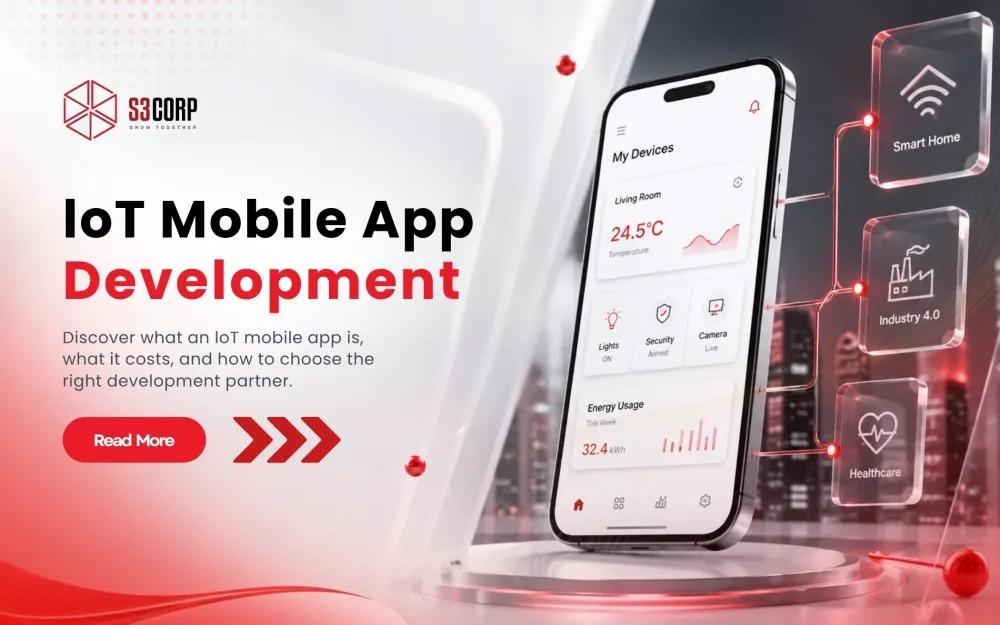
A practical breakdown of IoT mobile apps: what they do, where they fail, what they cost by region, and how to choose a development partner without guessing.
14 Aug 2026
If you type "IoT mobile app" into a search bar, you are probably not looking for a definition. You already know, roughly, what the Internet of Things is. What you actually want to know is whether building one is worth the investment, what it takes to do it properly, and who should build it for you.
An IoT mobile app is the software layer that lets a phone monitor, configure, and control internet-connected devices — from a single Bluetooth-paired sensor to a fleet of industrial machines — over Wi-Fi, Bluetooth, cellular, or a cloud dashboard. That part is straightforward. The harder part, and the part that decides whether the project succeeds, is everything underneath the user interface: the protocol layer, the security model, and the team that has actually shipped this kind of work before.
This guide walks through both halves. You will get the fundamentals fast, then a practical framework for evaluating whether to build in-house, hire a specialist, or outsource, plus real cost benchmarks by region and a checklist for vetting a development partner.
An IoT mobile app connects your phone to physical devices through three core functions: connecting through Bluetooth, Wi-Fi, NFC, RFID, or cellular; communicating by sending commands and receiving sensor data; and syncing to the cloud, where that data gets stored, analyzed, and acted on over time. Nearly every IoT product on the market runs on some version of this loop, whether it is a smart thermostat, a fitness tracker, or an industrial vibration sensor reporting back to a maintenance dashboard.
What differs from product to product is which layer carries the most engineering risk. A consumer smart-home app usually lives or dies on user experience and reliable Bluetooth pairing. An industrial asset-tracking app usually lives or dies on data throughput and uptime. Knowing which layer matters most for a specific product changes almost every downstream decision, including which developers you need and how you architect the backend.
|
Function |
What It Involves |
Common Protocols |
|
Connect |
Pairing the phone with a physical device or gateway |
Bluetooth Low Energy (BLE), Wi-Fi, NFC, RFID, cellular |
|
Communicate |
Sending commands to the device and receiving sensor data back |
MQTT, CoAP, custom BLE GATT profiles |
|
Collect |
Storing, analyzing, and acting on data over time |
Cloud APIs, AWS IoT, Azure IoT, custom backend services, on-device ML for edge inference |
On the "Connect" row, 5G RedCap is worth knowing by name if a product needs cellular connectivity rather than short-range Bluetooth or Wi-Fi.RedCap rollouts expanded through 2026 across dozens of operators because it fills a gap that neither aging LTE nor full 5G handled well: it delivers enough throughput and low enough latency for wearables and industrial sensors, at a module cost and power draw far closer to LTE-M than to a full 5G modem. For any wearable or field sensor that needs cellular coverage without Wi-Fi in range, RedCap is now the standard worth designing around rather than defaulting to older LTE Cat-4 modules.
"Collect" no longer means shipping every reading to the cloud before anything useful happens with it. For the industrial use cases covered in this guide, apps increasingly run a compact machine learning model directly on the device to analyze sensor data on the spot, flagging an anomaly or triggering an action locally instead of waiting on a round trip to a server. This edge AI approach cuts latency for time-sensitive decisions and is one of the more effective ways to head off the data-volume failures covered later in this guide, since the phone or gateway only needs to send the cloud a summary or an alert rather than the full raw stream.
For a broader look at how this fits into general mobile architecture decisions, the mobile app development guide by S3Corp covers the platform and framework choices that sit above this connectivity layer.
IoT mobile apps show up wherever a business needs remote visibility or control over physical assets. Smart building and home automation, fleet and logistics tracking, remote patient monitoring, precision agriculture, retail shelf and inventory sensors, and industrial predictive maintenance represent the use cases with the deepest current adoption. Manufacturing leads every other sector here: it already accounts for 34% of total IoT device deployments, driven mainly by process automation and predictive maintenance work that catches equipment failures before they cause downtime.
Here is where the pattern repeats across industries, condensed to save you from reading seven separate case studies:
|
Industry |
Primary IoT Mobile App Use Case |
|
Manufacturing |
Predictive maintenance, equipment monitoring, factory-floor sensor dashboards, mobile digital twins |
|
Healthcare |
Remote patient monitoring, wearable vital-sign tracking, connected medical devices |
|
Logistics & Transportation |
Fleet tracking, cold-chain monitoring, route and asset visibility |
|
Agriculture |
Soil and climate sensors, irrigation automation, livestock monitoring |
|
Retail |
Smart shelving, inventory sensors, foot-traffic and beacon-based analytics |
|
Smart Home / Building |
Thermostats, lighting, security systems, energy monitoring |
|
Energy & Utilities |
Smart metering, grid monitoring, demand-response automation |
The smart home row on this list carries a protocol shift worth flagging directly for anyone shipping consumer-facing hardware in 2026: Matter. Backed jointly by Apple, Google, Amazon, and the Connectivity Standards Alliance, Matter has become the default interoperability layer for new consumer smart home devices, with Matter 1.6 standing as the latest released specification as of mid-2026. Devices commission over Bluetooth Low Energy, then hand off to Thread or Wi-Fi for ongoing communication, and Thread 1.4 certification became mandatory for new border routers, which resolved a long-standing problem where multiple hubs in the same home each spun up a separate mesh network instead of sharing one. If a product touches consumer smart home hardware, Matter compliance is no longer optional the way it was even two years ago. Skipping it means the companion app will not work natively with Apple Home, Google Home, Amazon Alexa, or Samsung SmartThings, and that is a real purchase-blocker buyers now check for before they add a device to cart.
Two other use cases deserve a closer look because they carry the highest technical bar for different reasons. Remote patient monitoring apps have to handle intermittent connectivity, strict data-privacy requirements, and hardware from multiple medical-device manufacturers at once, which is why healthcare IoT projects tend to run longer than a typical consumer app. The healthcare mobile app development guide by S3Corp goes deeper into the compliance side of this specifically. Industrial predictive maintenance apps carry a different kind of complexity: they need to ingest high-frequency sensor data in near real time without draining the phone battery of a technician walking a factory floor, a problem that has more to do with data-pipeline architecture than with the mobile UI itself. The interface expectation has also shifted. A technician in 2026 increasingly expects live sensor data overlaid on a 3D rendering of the machine on a tablet, a mobile digital twin, rather than the same data scrolling past as flat line charts. That shift raises the design bar for this category, since it means the app has to render a real-time 3D model smoothly alongside the sensor stream, not just plot numbers on a graph.
The three recurring failure points in IoT mobile app projects are security, fragmented device compatibility, and real-time data volume. Security failures usually come from unencrypted device-to-cloud data or weak authentication between the phone and the hardware. Compatibility failures come from the sheer range of hardware vendors, chipsets, and firmware versions an app has to support across iOS and Android at once. Data volume failures come from underestimating how much sensor data a connected device actually generates once it is deployed at scale, which then overwhelms a backend that was only ever load-tested against a handful of devices.
None of these three are hypothetical. Roughly 70% of internet-connected devices in production today still carry known, unaddressed security vulnerabilities, largely because IoT hardware ships with default credentials or lacks a reliable mechanism for firmware updates once it is in the field. The financial exposure is real too: the average IoT-specific security incident now costs an estimated $330,000, and that figure climbs sharply in regulated industries like healthcare. If your app talks to hardware that was not designed with security as a first-class requirement, the mobile app itself becomes the weakest link an attacker will target first.
Device compatibility gets harder once you look past the protocol stack and into how each mobile operating system actually manages a live Bluetooth connection. iOS suspends background Bluetooth activity aggressively unless the app declares the correct background modes and implements CBCentralManager state restoration properly in Swift, and a missed restoration handler is one of the most common reasons a paired device silently drops connection after the phone locks. Android handles this differently through foreground services and battery-optimization exemptions in Kotlin, but manufacturer-specific power management layered on top of stock Android by brands like Samsung and Xiaomi means a background BLE strategy that works reliably on a Pixel can still fail on a mid-range device from a different manufacturer.
Cross-platform frameworks used to be the weak point for exactly this kind of work, though that has changed. React Native's New Architecture, built on JSI, Fabric, and TurboModules, replaced the old asynchronous bridge with direct, synchronous calls into native C++ code, and native module calls that once took 5 to 10 milliseconds through the bridge now complete in under 1 millisecond. Flutter's equivalent path, Dart's Foreign Function Interface (FFI), binds directly to native C and C++ libraries and avoids the older platform-channel serialization step the same way. High-frequency sensor streaming is no longer the bottleneck it used to be on either framework. What still requires native code on both platforms is the connectivity layer itself: BLE background handling still needs a proper native module, built with CBCentralManager state restoration on iOS and a foreground service on Android, because that piece is about how each operating system manages background execution, not about how fast the framework can move data once the connection exists. In practice, that means Flutter or React Native can carry the full UI and most of the data-handling layer for an IoT app in 2026, with a thin native module reserved specifically for the BLE connectivity piece.
Here is what each risk actually means for a buyer evaluating a build, and what you should be asking a development partner about it before signing anything:
S3Corp holds ISO 27001 certification, the internationally recognized standard for information security management, which is directly relevant here because it governs exactly the kind of device-data handling and access-control practices this section describes. For a broader look at what commonly goes wrong once a project is in motion, the why mobile apps fail breakdown by S3Corp covers failure patterns that apply well beyond IoT specifically.
The right call depends on three factors: whether your core engineering team already has embedded or protocol experience, how fast you need to ship, and whether cost predictability matters more than keeping every engineer on domestic payroll. Most web and mobile teams, even strong ones, have never touched BLE GATT profiles, MQTT brokers, or firmware-level debugging, because that skill set sits in a different discipline entirely. That gap is the single biggest reason IoT projects run over budget when a general-purpose team takes them on without outside help.
Here is a simple framework for working through the decision:
This is the part of the market where S3Corp has built its actual specialization over more than 19 years of software outsourcing. The technical bench spans standard mobile and web development alongside embedded and networking protocol work and IPTV — a combination that most generalist outsourcing shops simply do not carry in-house. That bench has been built across 400+ completed projects for 250+ clients in 25+ countries, spanning 8+ industries, which is the kind of range that matters when a project needs both a polished mobile UI and a team that understands what happens on the wire underneath it. For a closer look at how engagement structures differ depending on which of these paths you take, the collaboration models page and the how to outsource mobile app development guide, both by S3Corp, cover the practical mechanics of each option.
Cost for an IoT mobile app depends far more on team location and protocol complexity than on the app itself. A straightforward companion app for a single connected device might run a fraction of the cost of a multi-protocol industrial platform supporting dozens of hardware vendors, and the hourly rate of the team building it can swing the total by two to three times depending on where that team sits.
The table below reflects blended 2026 hourly-rate benchmarks by region, pulled from current market data rather than estimates:
|
Region |
Typical Hourly Rate (2026) |
What You're Trading Off |
|
United States (in-house/onshore) |
$50–$300/hour, varying sharply by state and seniority |
Full onshore control and zero timezone friction, at the highest cost and in a tight senior-engineering hiring market |
|
Vietnam (outsourced) |
$15–$45/hour depending on seniority |
Strong engineering discipline, a GMT+7 timezone that overlaps both APAC daytime and US evening hours, and comparatively lower attrition than some regional peers |
|
India (outsourced) |
$18–$40/hour |
The largest offshore talent pool globally, with more variance in English fluency and higher reported attrition at the senior level |
|
Philippines (outsourced) |
$30–$50/hour billed (local pay typically $20–$30) |
Strong English fluency and cultural alignment with US clients, generally with a narrower embedded/protocol specialist bench than Vietnam or India |
Rate is only one part of the total cost picture. A cheap hourly rate attached to a team without protocol experience usually costs more in the end once rework, security remediation, and delays are factored in. This is worth weighing against the security and compatibility risks covered earlier in this guide, since the region and the team are not separable decisions. For a full breakdown of what actually drives cost within a single project, independent of region, the mobile app development cost breakdown and nearshore vs. offshore software development guides, both by S3Corp, go into more depth on this specifically.
Beyond a portfolio, the questions that actually predict project success are whether the team has shipped BLE or embedded-protocol work rather than just standard mobile apps, what their security and compliance posture looks like, how they handle IP protection, and what their delivery model looks like across time zones. A polished portfolio tells you a team can design a good-looking app. It does not tell you whether they can keep 500 field-deployed sensors talking to that app reliably six months after launch.
Use this checklist when evaluating a partner:
S3Corp maps to each of these directly: ISO 27001 certification, a technical bench built specifically around networking and embedded protocols alongside standard development, and named enterprise engagements with organizations including Singtel, PepsiCo, and Razer/Ruckus. For a device-data pattern close to what many IoT products need, the health monitoring app case study by S3Corp shows a wearable-to-mobile-app data flow delivered in practice, and the broader case studies library covers a wider range of mobile, web, and connected-device work delivered over the years.
An IoT mobile app is only as good as the ability of the team behind it to handle both the mobile experience and the device and protocol layer underneath it. That is the actual decision point for a technical buyer evaluating this project, not which framework or platform gets picked first. Get the team right, and the framework choice becomes a much smaller problem to solve.
If you are weighing whether to build this in-house, bring in a specialist, or outsource the work, a technical scoping call is a lower-commitment way to pressure-test the plan before a full proposal. Contact S3Corp to walk through the specific protocols, devices, and scale your project needs, and get a straight answer on what it will actually take to build.
An IoT mobile app has to manage a hardware connection layer that a standard app never touches, including device pairing, protocol handling, and offline data sync. That adds real engineering scope beyond the UI: security, compatibility testing across chipsets, and backend architecture built to handle continuous sensor data rather than occasional user requests.
Current production stacks typically rely on active cloud IoT platforms such as AWS IoT and Azure IoT for device management and data ingestion, paired with BLE, MQTT, or Matter/Thread for device communication depending on the product category. Older platforms like Xively and Android Things have both been formally discontinued and should not factor into a current technology decision.
Cost depends primarily on protocol complexity, device count, and the location of the development team, with regional hourly rates ranging from roughly $15 an hour in parts of Asia to $300 an hour for senior US-based engineers. See the cost-by-region table above for a full breakdown.
IoT is pushing mobile development toward deeper backend and protocol specialization rather than pure front-end polish. Apps increasingly need to handle real-time data streams, offline-first architecture, and hardware-specific integration work that a standard consumer app never required.
That depends on whether your existing team already has embedded or protocol experience. If it does not, and most general mobile and web teams do not, outsourcing to a partner with a dedicated protocol bench is usually faster and more cost-predictable than building that specialization from scratch internally. See the build-vs-outsource framework above for the full decision tree.